Generative AI to Speed Up Online Jeopardy Templates in Classroom


If you’ve been wanting to try Jeopardy in your classroom but just can’t seem to find the time to create a game — we get it. Teaching is one of the busiest professions on the planet, with your days filled to the brim with student interactions (along with the expectation to plan, prep, and grade student work after hours).
Only some areas of teaching will have a time-saving solution. But solid AI (artificial intelligence) tools can help in a few ways. AI tools for teachers have been proven effective in increasing efficiency and productivity, personalizing learning experiences, and supplementing teacher-made lesson plans. And luckily, AI Jeopardy templates are no exception to these research results.
Factile’s AI tool makes it easy to create games in record time. On average, you can create a game for your classroom in less than 10 minutes. And in this blog post, we aim to reduce the time it takes for you to learn how to use it, too. Read on to learn more about Factile’s AI feature, what it can be used for, and how you can use it to create quick Jeopardy templates.
What is Factile’s Generative AI Feature?
Factile uses the leading generative AI software from OpenAI as the basis for its AutoGen feature. OpenAI started the generative AI revolution with its ChatGPT software, and we now bring that technology to AutoGen for creating Jeopardy style games.
Getting started is easy. You provide the topic and a few other guidelines, and AutoGen tackles the rest. AutoGen creates question/answer pairs for you, and then you can pick which ones to add to your board. You can create open response questions, “clue” style questions, or multiple choice questions.
Ready to dive in? Let’s examine a few of AutoGen’s most commonly asked questions and learn how to create a game.
Is Factile’s AutoGen AI Feature Free?
AutoGen is available to users with Free and Pro Factile accounts. When using AutoGen for the first time, you will have 500 free tokens in your account, which is enough to create 10-40 questions. We provide these free tokens to ensure our users can easily experiment using AI to generate games. It’s really pretty remarkable how well it works and how much time it can save. Furthermore, users are finding it provides AI “brainstorming” help for question generation, which we will talk about later in this blog, so stay tuned.
Even after you use your initial allowance, tokens are designed to be affordable for teachers. $5 purchases 25,000 tokens for Pro account users and 15,000 tokens for Free account users.
How Do I Create a Jeopardy Template with AutoGen AI?
Here’s a brief overview of what to expect when putting together a game with Factile’s AutoGen AI feature:
- Step 1: When you click “Create Game” from your Factile account home screen, you’ll be given the choice between creating the game manually or with AutoGen AI. Click on the AutoGen AI box to begin.
- Step 2: Choose a topic from the drop-down list. If you’d like a subtopic, type it manually after the topic (for example, “Geography, Oceans”)
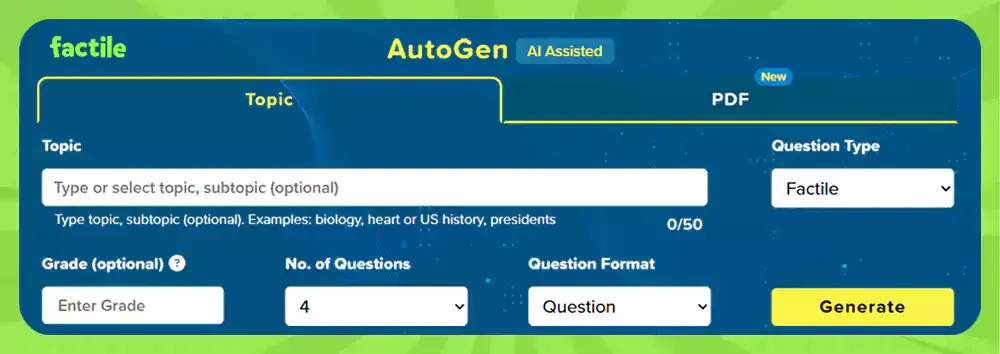
- Step 3: Choose your question type (Factile or Choice). Factile will create a Jeopardy game with open response questions, while Choice will create a Jeopardy game with questions in multiple choice format, each with one correct answer and three incorrect answers.
- Step 4: Enter your grade level (options include elementary, middle, high school, and university). This optional step curates the correct difficulty level for your students.
- Step 5: Choose the number of questions you’d like to add.
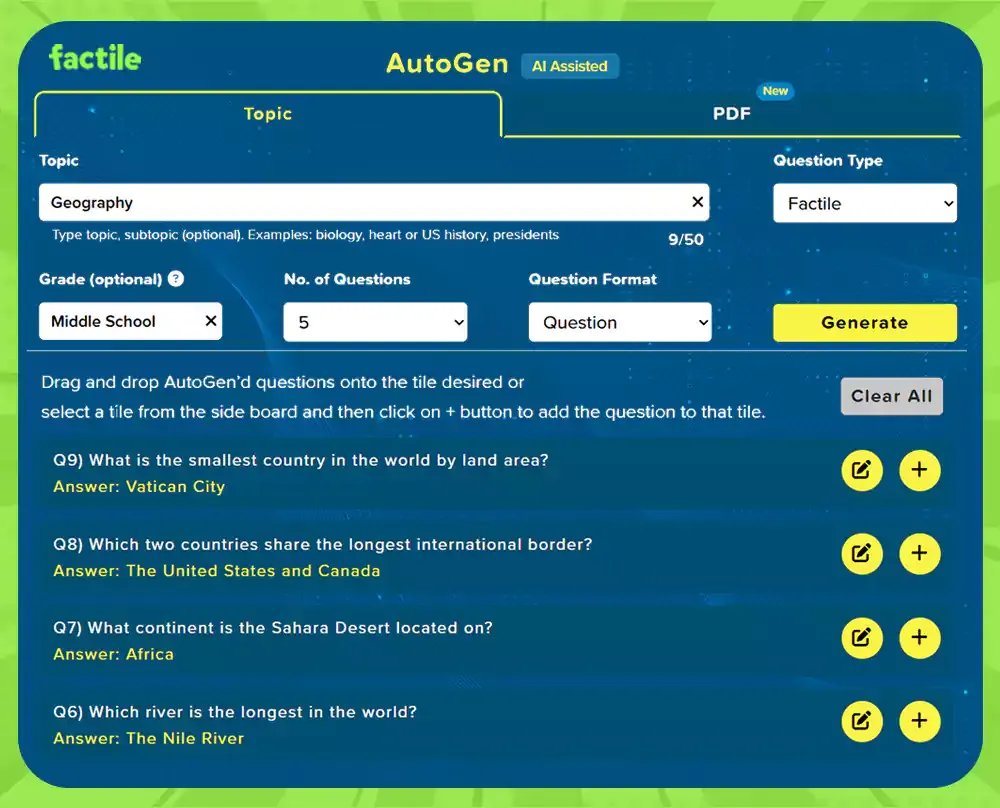
- Step 6: Click “Generate.” A list of questions will appear. You can edit the questions and answers if needed. When they look good, click on the + and drag them to the square where you want them to appear on your Jeopardy board.
- Step 7: Once your board is ready, click the back arrow. Here, you can make edits like adding Double Jeopardy, Final Jeopardy, and Daily Doubles. You can add files, such as photos or videos, to the squares, etc.
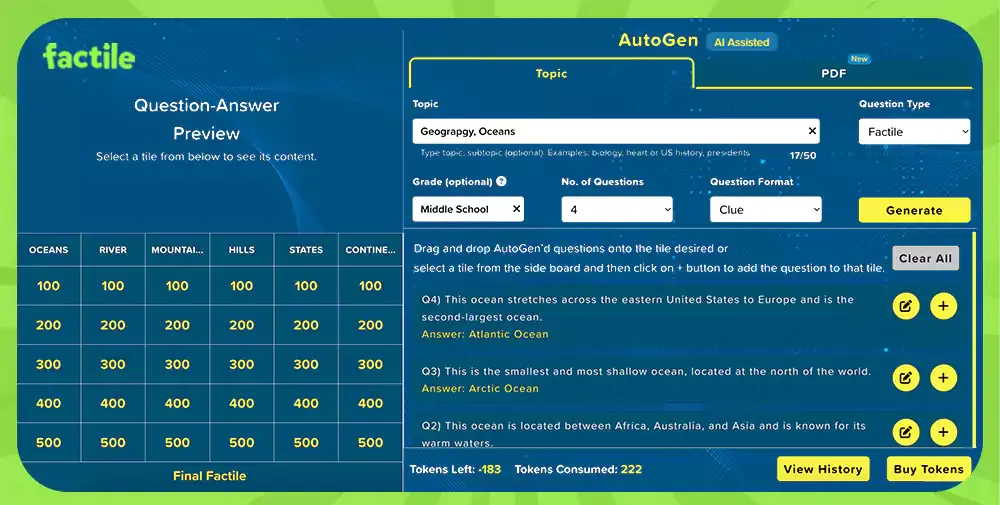
- Step 8: When your board is ready, you can test it out in Practice Mode. Head right to “Play Game”, share, or save it for later.
Are you looking for more detailed instructions? Checkout the complete Autogen AI guide.
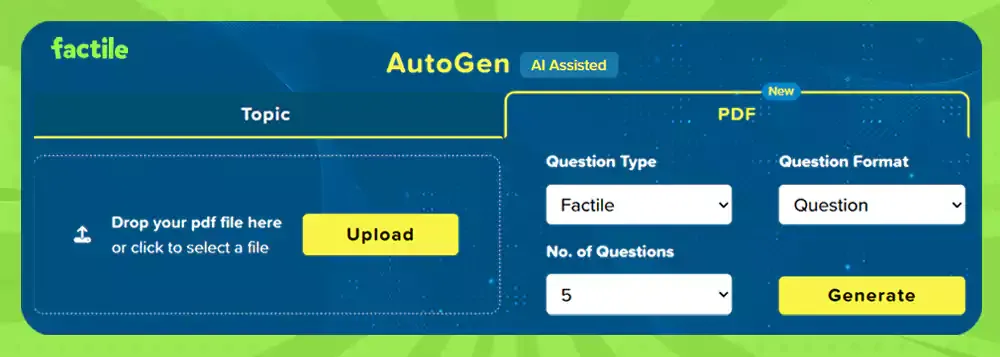
If you want to generate questions from the content of a PDF, AutoGen now supports this. Just upload your PDF and have AutoGen create questions for your Jeopardy game.
How is Factile’s AI Jeopardy Template Maker Different from Other AI Tools?
In short, Factile’s AI tool, AutoGen, is built for creating Jeopardy games. With AutoGen, you can input topics, subtopics, age ranges, and question styles. This helps you control:
- The types of questions and answers generated
- The style of the questions - question, clue, or multiple choice
- The difficulty of the game
- Whether or not the game will suit your class developmentally
- How long the game will take
- And more.
With Factile, you can also edit the generated question and answer directly. Want some changes, just edit the question. Don’t like a particular question? Simply have AutoGen replace it with another.
Ideas for Using Factile’s AI for Your Classroom Jeopardy Templates
There are endless uses for Jeopardy in the classroom, and they’re only expanded by the efficiency of AI-assisted game creation. Here are a few examples to get your own ideas flowing:
- Use it as a Brainstorm Tool — Even if you want to create your Jeopardy template by hand, you can use AutoGen to brainstorm questions. Think of it as similar to how many individuals use ChatGPT to brainstorm paper topics before doing the writing on their own. Want some ideas for a game board on Oceans - just ask AutoGen to get you started.
- Create entire online Jeopardy templates — After you generate and review questions, you can add them straight to your game board. Arrange them in the categories you’d like and the points value rows you’d like. For example, Geography - Oceans for 200!
- Create “Choice Games” — AutoGen can also create multiple choice Factile games — Jeopardy games in multiple choice format that have questions with four answers, one being correct and three being incorrect. Use them as for moderated Factile games, self-study games, or print them to use as worksheets or quizzes in your classroom.
- Add to Question Banks — You can quickly add questions to a Question Bank. Prep the Question Bank ahead of time (think during your prep hours) and apply them to boards when you’re ready to play. You can start with a broad topic (“Biology,” for example) and then add subtopics if they are needed (such as “photosynthesis”). You can also choose a grade level to help customize question difficulty.
Tips for Using Factile’s AI Jeopardy Templates
Below, you’ll find a few great tips from our AutoGen guide about using our AI tool. Follow each piece of advice to improve your success using AI to generate Jeopardy games. Remember, we are in the early days of AI, so it sometimes makes mistakes. These tips help get the most out of a remarkable technology still in its infancy.
- Be Specific — for example, the prompt “sentences, simple vs compound” will produce clearer, more concise results than just “sentences.”
- Remember to Fact Check — AI can sometimes make mistakes. If you come across new information that you aren’t sure is correct, take the time to research the answer before sharing it with your students.
- Keep Things Appropriate — Our AI model is designed to be ethical. If you violate the terms by using inappropriate language, your account may be terminated.
- Avoid “Trick” Questions — If you deliberately mislead the AI model, there’s a good chance it will produce incorrect answers.
- Try Various Phrases — If you don’t get the result you’re looking for, try wording your prompt differently.
- Stick to pre-October 2023 — That’s when the AI model was trained. So it won’t be able to answer questions on current events.
- Remember, AI Isn’t Perfect — Every model has its limitations. Use this one as one tool in your kit instead of your only tool.
You’ve reached the end of our tutorial, so it’s time to try creating a game for yourself. Use the tips in this blog post and follow along with our AutoGen guide. Soon, you’ll have made your first AI generated Jeopardy game! And don’t forget to tell us how it goes. We look forward to hearing about the Jeopardy templates you create (and the time you save) with this efficient, easy-to-use tool. Enjoy!