Jeopardy in the Classroom: The Best Times to Play


As a teacher, you know full well that your students learn more when they’re having fun. Scientifically, there are two main reasons for this: motivation and dopamine release. When lessons are enjoyable, learners are more likely to join in and take risks. And of course, these risks lead to educational growth. When students have fun, their brains release dopamine, which aids in memory retention.

So fun in the classroom = higher rates of engagement and risk-taking (learning new skills and information) + the ability to keep that knowledge permanently.
What constitutes fun in the classroom? You know your students best — your specific group may enjoy active games, group work, or free time most.
We’d like to argue, however, that almost every group of learners would enjoy a game of classroom Jeopardy. The research backs it up as an effective teaching tool (offering better student engagement, information retention, and school satisfaction).
Below, we’ll dive into the “hows” and “whens” behind playing Jeopardy in the classroom. We’ll focus on online jeopardy templates in this post, since they’re the quickest way for teachers to create educational, fun feature-filled games.
Using Jeopardy Templates in the Classroom: What to Consider

As with everything in the world of teaching, Jeopardy can take a little bit of planning. Mainly, you need to know how much time you’d like your game to take up. You also want to plan for which subjects your game will cover. From there, you can use an online Jeopardy template to quickly and easily create a game that suits your needs.
Timing:
First, let’s consider game timing. Online Jeopardy templates can be adjusted anywhere from 2x2 squares to 6x5 squares. This flexibility makes it easy to customize your game’s timeframe.
Here are a few numbers to work from:
- You can expect to spend 20 minutes on shorter games.
- Longer rounds may take up to 40 minutes.
- Rounds of Double Jeopardy and Final Jeopardy can add even more engaging playtime.
- You can have your teams play 4-6 games in a bracket and then have a final championship round to expand your review session over multiple days.
The first few times you play, consider writing down how long Jeopardy takes in your classroom. This will allow for a more accurate time estimate based on how long transitions in your room take, how long students take to get into their team groups, how often you need to pause to dig deeper into an important question, etc. After you’ve played a few games, you’ll have your expected timing down to a tee.
Templates:
When you use an online Jeopardy template, creating games is simple. You can add questions and answers at any time and save them in various “banks,” allowing you to pull specific lessons and topics into the game whenever you need to. You can also use AI to assist in creating these games (we’ll dive deeper into this method later on in this post), or play games that were created and shared by other teachers in your subject area.
These features allow you to create games from home or during school prep time. If you have questions and answers saved, or plan on using AI/premade games, you can even power up a quick game during class time.
The Five Best Times to Play Classroom Jeopardy Games Online
Now, let’s look into five of our favorite ways to use Jeopardy in the classroom. These aren’t the only times to use Jeopardy effectively, but they are a good starting point. The flexibility and fun nature of the game allow it to be used at almost any point in the school day.
From icebreakers and brain breaks to effective finals review, this game just might become one of your new favorite teaching tools.
1. Play Jeopardy as a First Day IceBreaker
Icebreakers are a small part of the school year, but also an important one. They serve as a way for you to get to know your students, and for learners to get to know each other. They can also be used as a tool for setting classroom expectations (which is one of the most important first-week tasks).
Some deeper benefits of classroom icebreakers include:
- Creating a relaxed environment where students are comfortable participating.
- Preparing students for group work.
- Building a productive learning environment that students share ownership of.
Some Jeopardy topics that could be used on the first day (or during the first week) of school include:
- Names of students
- Learner fun facts (have students submit these prior to game creation)
- Teacher fun facts
- Classroom rules and expectations
- Topics to be studied this year
- Schedule information
- School facts or policies
- Study habits and test-taking tips to master
- The purpose of learning the subject at hand (to aid in student motivation)
- Famous individuals from the subject (writers, mathematicians, etc.)
Jeopardy games online work well for the beginning of the year because they are fun, but at the same time, structured with clear outcomes. There aren’t many opportunities for rounds to get out of hand, unlike more relaxed forms of icebreakers. And on top of it all, it’s easy to include real, pertinent information in each round. You can expect these games to last between 10 and 15 minutes.
2. Schedule In a Periodic Topic Review
Many teachers use Jeopardy regularly — either at the end of a week, a lesson, or a unit. This gives students something to look forward to while learning about new topics. They want to master the information so they can win the game they know is on the horizon.
Some unique components of periodic topic review Jeopardy games:
- These games are less dense than a full finals review.
- The information is at the top of students’ minds since it was recently covered.
- It’s less intense than an end-of-semester or end-of-year review session, but still lots of fun.
- It motivates students long before game day.
If you want to bring this style of Jeopardy game to your classroom, look into your lesson planning to see where it may fit. Do you prefer to include a little more fun on Fridays? A weekly session may be right for you. Do you introduce a new unit every two weeks? Unit recaps may work better in your circumstances.
No matter when you schedule these games, aim for consistency. As mentioned above, your students will find joy and motivation in their regularly scheduled Jeopardy games.
3. Try Playing Jeopardy as a Fun Way to Introduce a New Topic
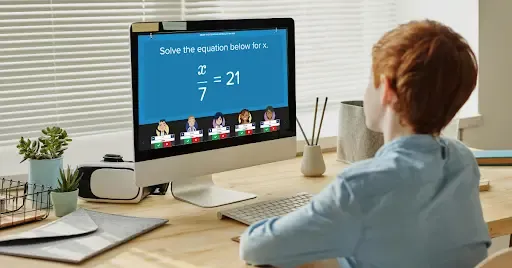
This is another common use of Jeopardy ion the classroom. Jeopardy can be used to introduce any topic, but we tend to think it’s extra useful for the trickier subjects. Think about your class: are there lessons that students seem to dread each year? Are there topics that just feel tricky, no matter how well you set them up?
By starting with a game of Jeopardy, you can add some excitement to the topic. By making the difficult subjects fun, you may be able to increase learning outcomes (or at least willingness to get involved and take those ever-important risks as mentioned above) for your students.
Consider playing Jeopardy in new lesson plans to:
- Add some excitement to the topic.
- Find out what your students already know.
- Introduce new subjects and repeat for review sessions later on.
Be sure to keep these games saved, as they will serve as excellent review tools later on (especially when it comes to the trickier topics that may need extra attention at finals time).
4. Create a Robust Question Bank for Finals Review
Finals are daunting for students, but the end of the year can be a challenging time for teachers as well. You’re wrapping up classroom lessons, grading final projects, and prepping for exams. You’re also trying to make sure that your students have mastered the knowledge and skills required to pass your class.
Your students need you to spend time reviewing the topics that will be on your exam, but you need this to happen in a way that doesn’t take much prep time.
Creating an ongoing question-and-answer bank that you add to throughout the year is a perfect way to make this possible.
How to Create Finals Review Jeopardy — To create a question bank, use an online Jeopardy template site like Factile. Factile allows sets of up to 300 questions and 30 categories. So, if you have 10 units, add 30 questions per unit to end the year with a finals-ready studying tool.
You can then use the questions on a Jeopardy board during class time or share them with students for at-home studying.
When to Start Finals Review Games — Start to play review rounds a couple of months before your final exam. When you begin this review early and in an interactive fashion (such as group Jeopardy), you can visualize where your students are at in their learning process. This can guide extra review sessions as needed to help you make sure students have mastered all materials before final exam time rolls around.
One of the best parts of using Jeopardy templates as finals review is that the games don’t feel stressful like traditional studying methods. They give your students extra practice in a relaxed and fun fashion — which is exactly what they need before test time!
5. Play Random Rounds as Quick Brain Breaks
Jeopardy doesn’t have to be left for scheduled, hour-long review sessions. It can be a great tool to pull out when you notice that your class could use a small break from traditional classroom learning.
This may be a switch in presentation style for your lesson (ask and answer questions together instead of working through a lecture), or it might be more of a “brain break.”
Aside from the benefit of additional topic review, brain breaks have been proven to:
- Increase productivity
- Decrease stress
- Boost student focus
- Improve brain function
- And increase social skills.
You can play a shorter round of Jeopardy for a brain break, or use your prewritten question-and-answer sets as flashcards.
Online Jeopardy template site, Factile, offers the ability to turn any round of Jeopardy into flashcards with the Pro account.
To use flashcards as a brain break, consider projecting them in front of the room. You can simply have students stand up (as a way to move their bodies) and raise their hand when they know the answer, or get a little more creative:
- Ask students to do a quick movement, like hop three times, when they know the answer.
- “Scramble,” where students find a friend across the room to tell an answer to, and then find another friend to tell the next answer to (allowing for movement and social interaction).
- Ask for answers in silly voices, such as whispers, “underwater” voices, or squeaky mouse voices.
Brain breaks are another great time to utilize that question-and-answer bank you create, too, since you can pull short Jeopardy rounds or flashcards from them quickly.
Even when it’s not in your lesson plan, Jeopardy can be a handy tool. If you have unexpected time that needs to be filled after a test or project, simply divide into teams and press “play” on a game.
You could have games prepped and ready to play, use that question bank that you have been adding to all year, or use the AutoGen AI tool to make a last-minute game geared toward your class subject. You could even replay a round that you’ve played earlier in the year as a fun review session.
Online Jeopardy templates work well as time fillers because they:
- Require little-to-no prep work.
- Can be adjusted to last as little or as long as you’d like.
- Are enjoyable for students, whether they’ve just taken a test and need a brain break or could use some extra study work.
Factile: The Easy + Fun Online Jeopardy Template

If you’re ready to bring Jeopardy templates into your classroom, check our Factile today. Factile offers interactive Jeopardy games online that are filled with fun features, from thinking music to smartphone and tablet-based buzzers. Replicate the game show with the Daily Double, Double Jeopardy, and Final Jeopardy.
Create your own games, search and play premade games from other Factile users, or use AutoGen AI to have games custom-made for you.
How does AutoGen work?
Simply add topics and subtopics, and allow OpenAI to create a question bank for you. Your free account comes with 500 free tokens for this service, and Pro accounts can use it for free.
Here is some more information about the various Factile account levels:
Factile Free allows you to:
- Create custom games
- Share games with students
- Play public games
- Create a set number of AutoGen AI games
- Save games
- Play with up to 5 teams at a time.
Factile Pro allows for all of the Free account features, plus:
- Unlimited saved games and up to 100 teams per game
- Buzzer mode via phones or tablets
- Downloading and printing answer keys
- Using question banks as multiple-choice tests
- Other game styles, such as Memory Match, Multiple Choice, and Flash Cards
- Adding videos, images, and InLIne math equations to questions
- Thinking music, custom game colors, and team mascots
- And much more.
No matter which account level you choose, Factile is an effective and easy to use teaching tool. Create games for brain breaks, finals review, and more. Spend as much time or as little time as you’d like on prep work, creating games from scratch, or using premade games/AI to help. Your students are sure to appreciate the extra fun in their school day!