
Make Onboarding Fun with a Jeopardy Maker


You hand new hires a 47-page employee handbook on day one, followed by hours of compliance videos. They're expected to memorize org charts, benefits tiers, and department acronyms, yet most forget them by the following week.
Instead of onboarding with more PDFs, a Jeopardy game maker transforms orientation content into engaging, competitive team experiences. Benefits breakdowns, company history, and compliance basics become interactive games that feel less like mandatory training and more like genuine engagement.
Research shows that high-quality onboarding improves employee retention by 82%. When you gamify the process, new hires retain information better and stay longer.
This guide shows how to gamify corporate training with games that stick. You'll learn how to convert handbook content into game categories, run live onboarding sessions with buzzer competitions, and use Factile's AutoGen AI to build interactive onboarding without starting from scratch.
Why New Hires Forget Everything (And How Gamified Onboarding Fixes That)
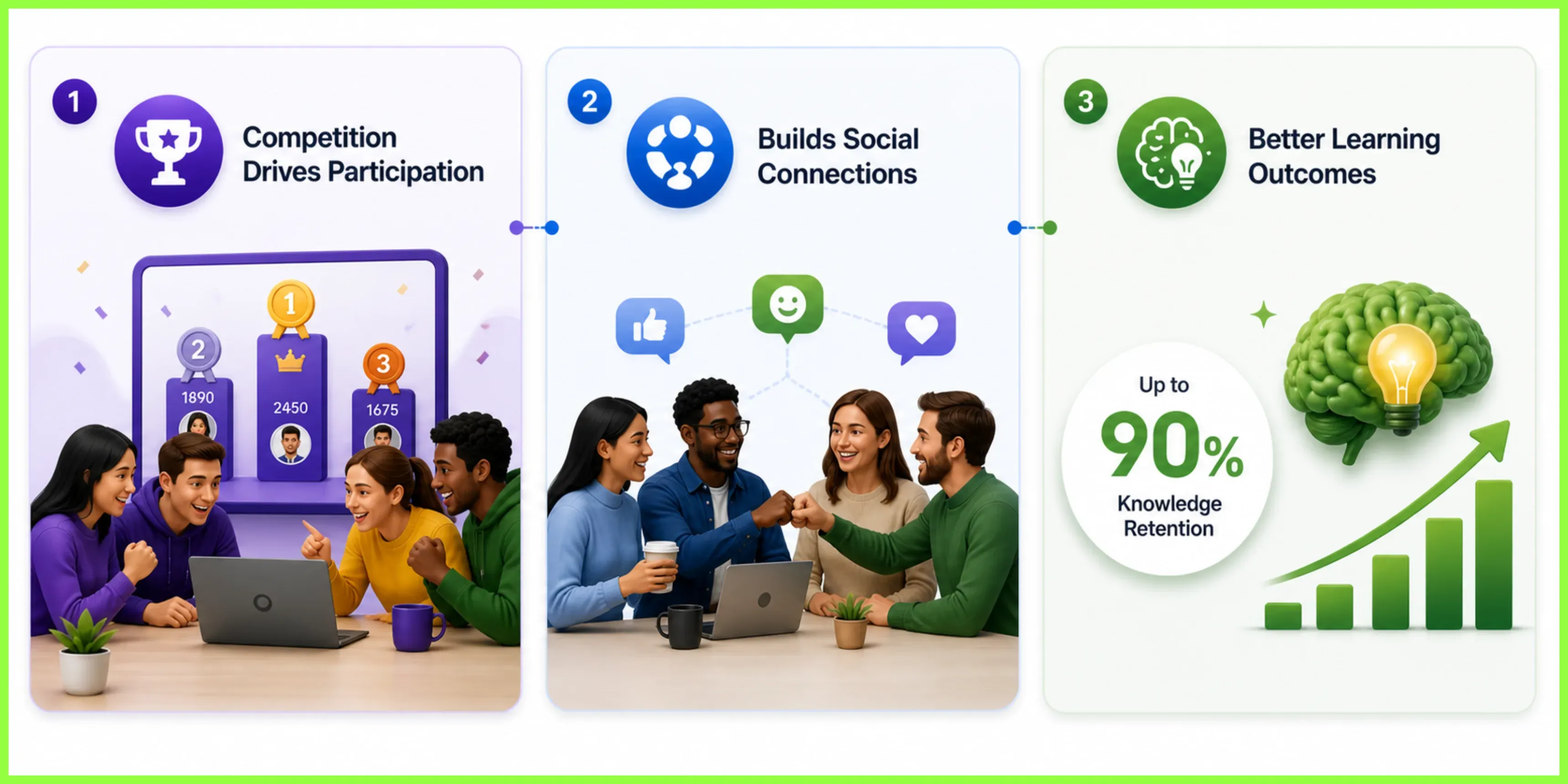
Gamifying your onboarding process does more than make orientation enjoyable. It improves retention, protecting your recruiting budget and keeping your teams stable. Interactive onboarding through games changes the traditional orientation dynamic in three ways.
First, competition drives participation in ways traditional presentations cannot match. Even employees who do not consider themselves competitive will pay attention when a leaderboard is in place, or scores are at stake. The format transforms required content into something people actually want to engage with.
Second, gamifying your onboarding can build immediate social connections. When new hires compete in teams during their first week, they start building relationships with their colleagues. It’s a win-win for you, since they are not just learning about company policies and benefits, but also breaking down departmental silos and getting a genuine feel for the company culture. That early bonding matters for long-term retention.
The third advantage goes beyond engagement and connection to actual learning outcomes. Active participation beats passive listening when new hires compete and handle questions under pressure instead of just sitting through presentations. Studies show that gamified learning can increase knowledge retention by up to 90%, meaning they remember the material weeks and months later when they need to apply it.
For HR teams, this means corporate training games are not just nice-to-have extras. They directly affect how quickly new employees become productive and whether they stay past their first year.
How a Jeopardy Game Maker Transforms Traditional Onboarding
A Jeopardy maker transforms how new hires learn. Instead of simply digitizing your orientation materials, it turns dense policy documents into engaging, competitive experiences that make information stick.
Transforms Handbook Content into Game Questions
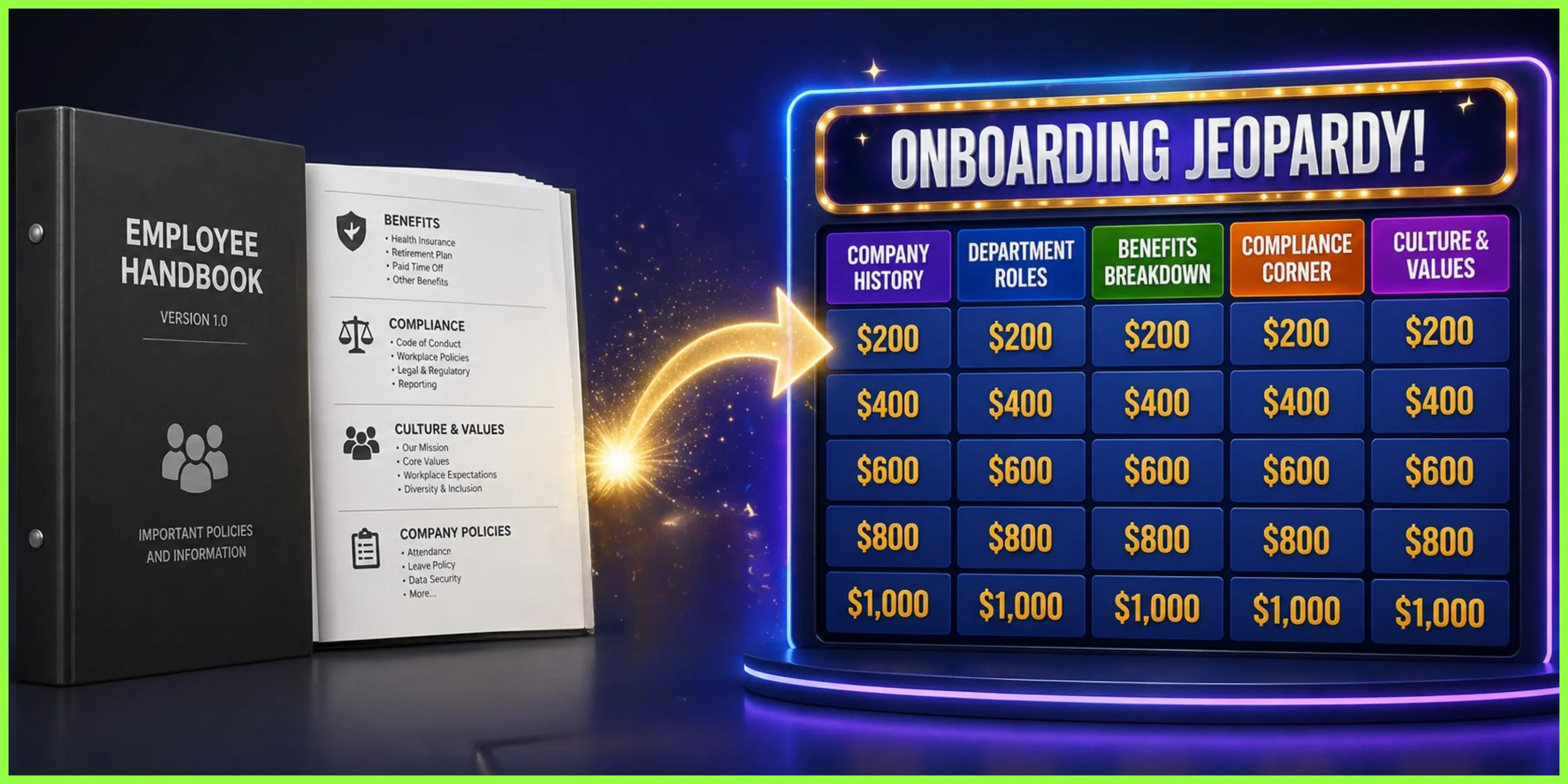
Your employee handbook already contains everything new hires need to know. The problem isn't the content but the format. Converting those pages into Jeopardy categories makes the information easier to digest and remember.
Start with five to six categories that mirror your onboarding priorities: Company History, Department Roles, Benefits Breakdown, Compliance Corner, and Culture & Values. Then, create questions at varying difficulty levels.
For example, a 200-point Benefits question might ask, "What's the company match percentage for 401(k) contributions?" Meanwhile, a 500-point question could require calculating actual take-home pay after selecting specific benefit options.
The fastest approach is using a feature like Factile’s AutoGen AI. All you need to do is upload your employee handbook as a PDF, specify which sections to focus on, and the system automatically generates the questions and answers within minutes.
Live vs. Self-Paced Options
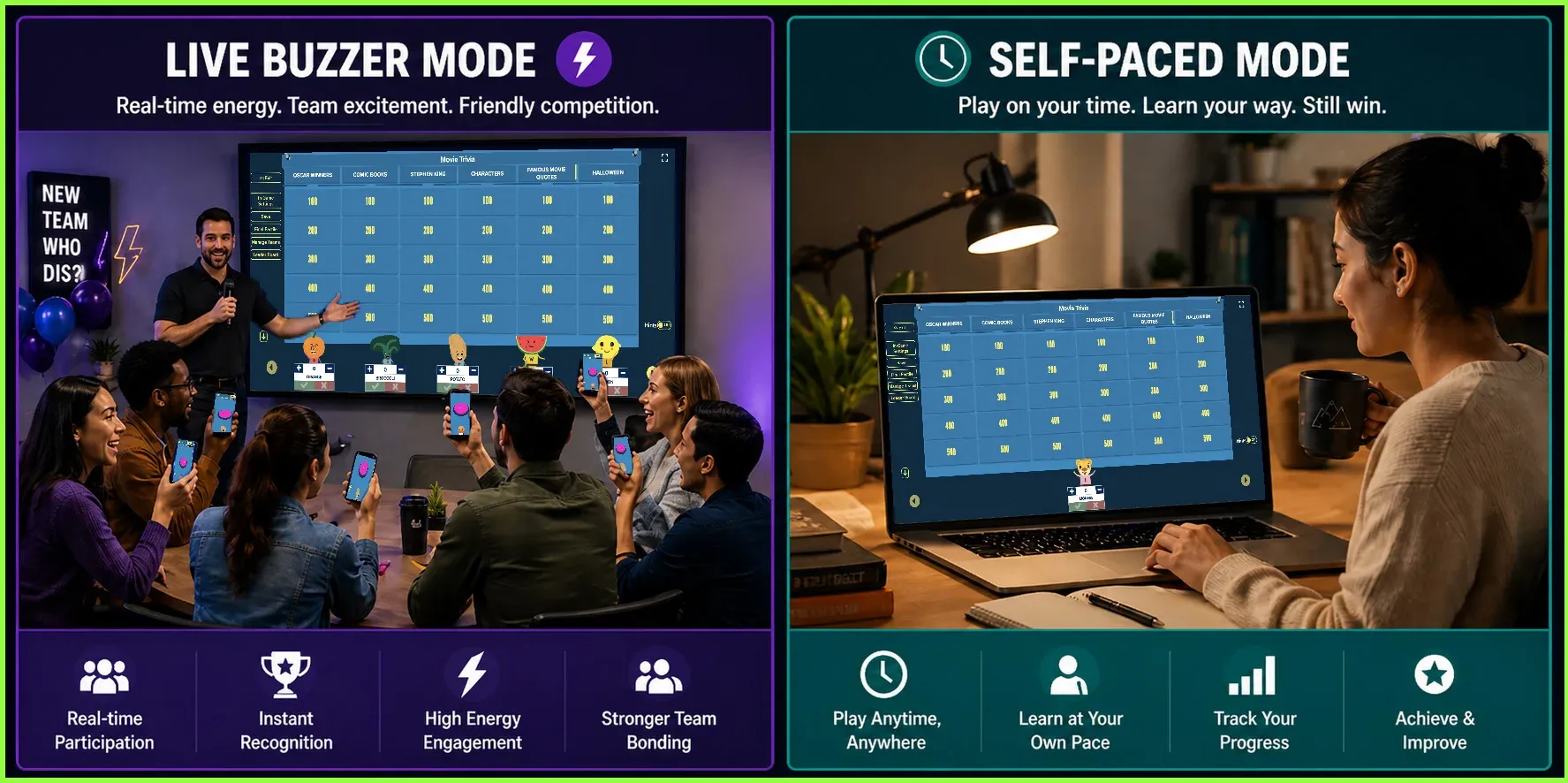
The game format you choose depends on your onboarding setup. When you're running in-person or virtual orientation sessions with groups, Buzzer Mode turns phones and laptops into buzzers so new hires can compete in real time. The competition builds energy quickly, which works well when groups start together.
Meanwhile, for remote employees joining asynchronously, self-paced modes let them play at their own pace. They can still enjoy a little competition through the leaderboards without needing every new hire to be online at the same time.
Another ideal setup is to run team-based competitions by dividing your new hires into groups of three or four. In this scenario, teams can work together throughout the game. They can pick questions, discuss them among themselves to find the best answer, and then earn the corresponding points. That way, quieter employees can contribute without the pressure of being in the spotlight alone.
Factile Features That Work for HR
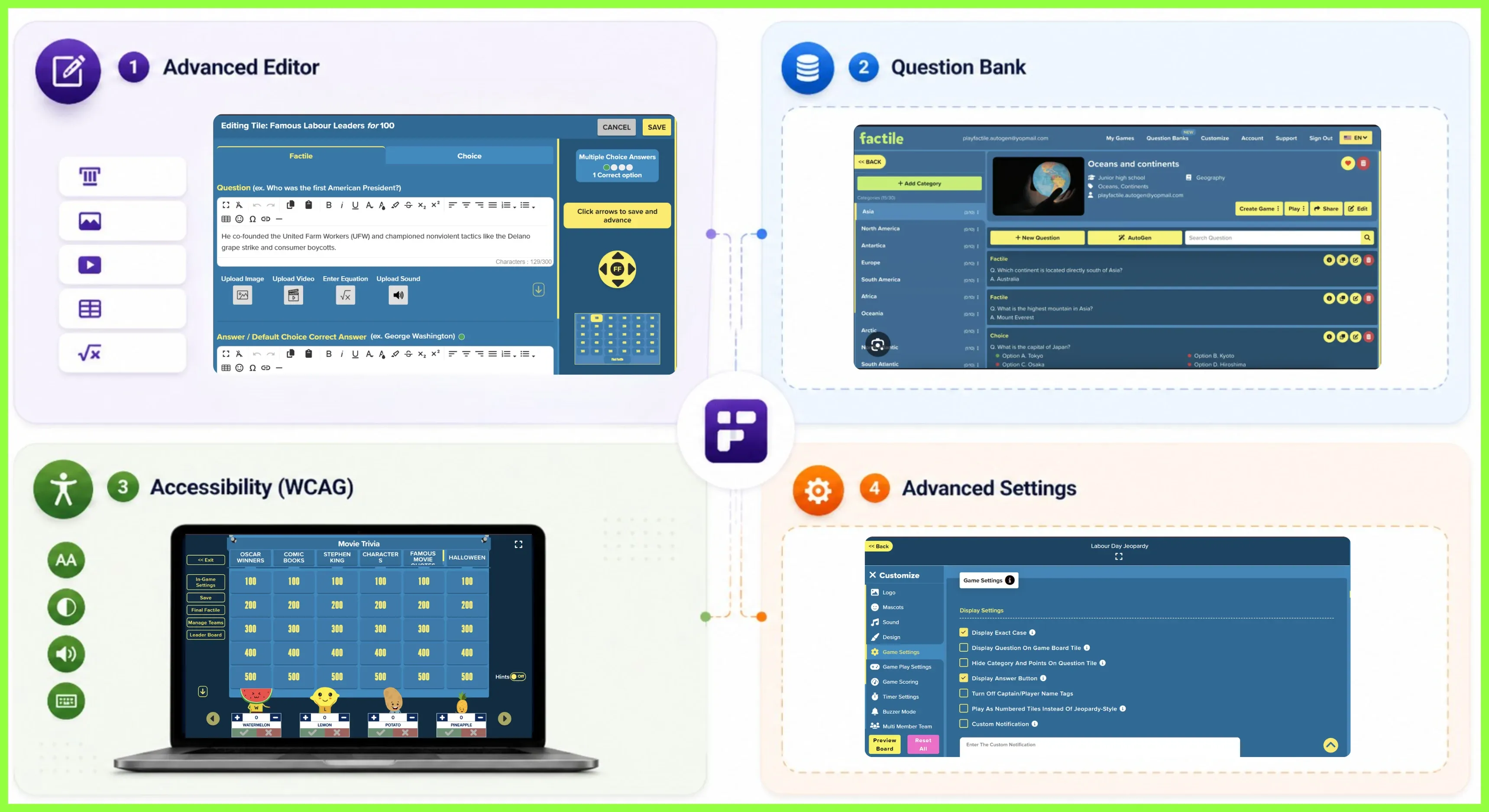
Beyond choosing the right game format, you will want to know what Factile offers for building onboarding programs. Here are some of Factile’s features that will come in handy when gamifying your onboarding process.
The Advanced Editor supports various content types and rich media, allowing you to embed comparison charts directly into questions about health insurance tiers, for example. Safety protocol questions can include video demonstrations. Formatted tables and LaTeX formatting work for complex benefit calculations. This flexibility means you are not limited to text-only questions. Organizational questions can include photos.
There is also the Question Bank, which makes it easy to generate multiple games from one set of questions. Add up to 300 questions about your onboarding content, then automatically generate different game variations for each session. You can regenerate games to keep content fresh or update individual questions when information changes. This means you build your question set once and use it across every orientation session without extra work.
Accessibility matters, too. Factile complies with WCAG standards, supporting broad deployment throughout the organization.
Lastly, Advanced Settings give you control over both global and game-specific customizations. Set up your company branding once by uploading logos and choosing background colors that apply across all games. Then customize individual features for each session, such as timer settings, point values, and Daily Double placements. This means you can maintain consistent branding while still tailoring the game experience to different orientation groups.
These features give you flexibility in how you build and host games, but the real question is when to deploy them. The timing matters as much as the content.
4 Ways to Use Jeopardy Games in Your Onboarding Program
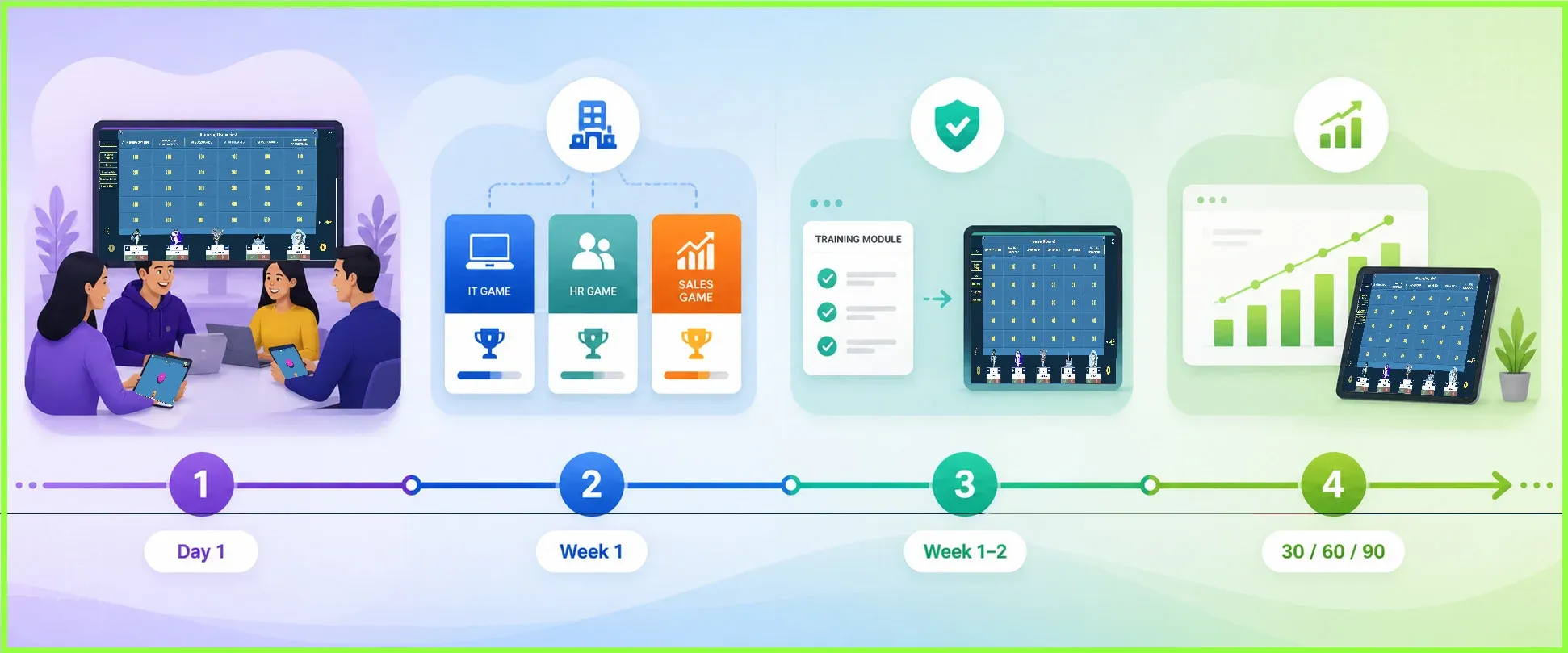
Now that you understand the features, let's look at how these games actually fit into your onboarding timeline. If you're searching for employee onboarding ideas that actually work, HR teams use corporate training games at various stages, from day-one introductions to 90-day progress checks.
Company Introduction
Start the orientation morning with a company trivia game. Let the new hires compete in teams to answer questions about company history, fun facts about departments, and office culture. This breaks the ice before diving into heavier policy content and gives people permission to relax and participate.
For example, instead of sitting quietly while waiting for presentations to start, new hires will huddle with their teams, debate answers, and laugh when they discover surprising company facts. The awkwardness disappears fast.
Department-Specific Orientation
As new hires move through department introductions, create specialized games for each area. An IT Security game could cover topics like password policies, phishing recognition, and data handling. On the other hand, HR Benefits games might tackle insurance options, PTO accrual, and retirement planning. Sales-focused games could walk through your CRM, qualification criteria, and deal stages. These games reinforce department-specific knowledge right when new employees need it most.
Compliance Training
Compliance training can be one of the most challenging parts of onboarding, but it can be totally engaging when gamified. For example, after new hires finish watching harassment-prevention or safety modules, run a quick Jeopardy review. The game format turns passive watching into active recall, so they'll actually remember the policies when they need them and build genuine understanding.
Progress Assessments
The learning shouldn't stop once orientation week ends. Games work just as well for follow-up assessments at 30, 60, and 90 days. These sessions help you spot knowledge gaps early and give new hires a chance to ask questions they couldn't during their first week. Because the format feels collaborative rather than evaluative, employees participate more openly, giving you better insight into what's actually sticking and what needs reinforcement.
How to Make a Jeopardy Game for New Hire Orientation
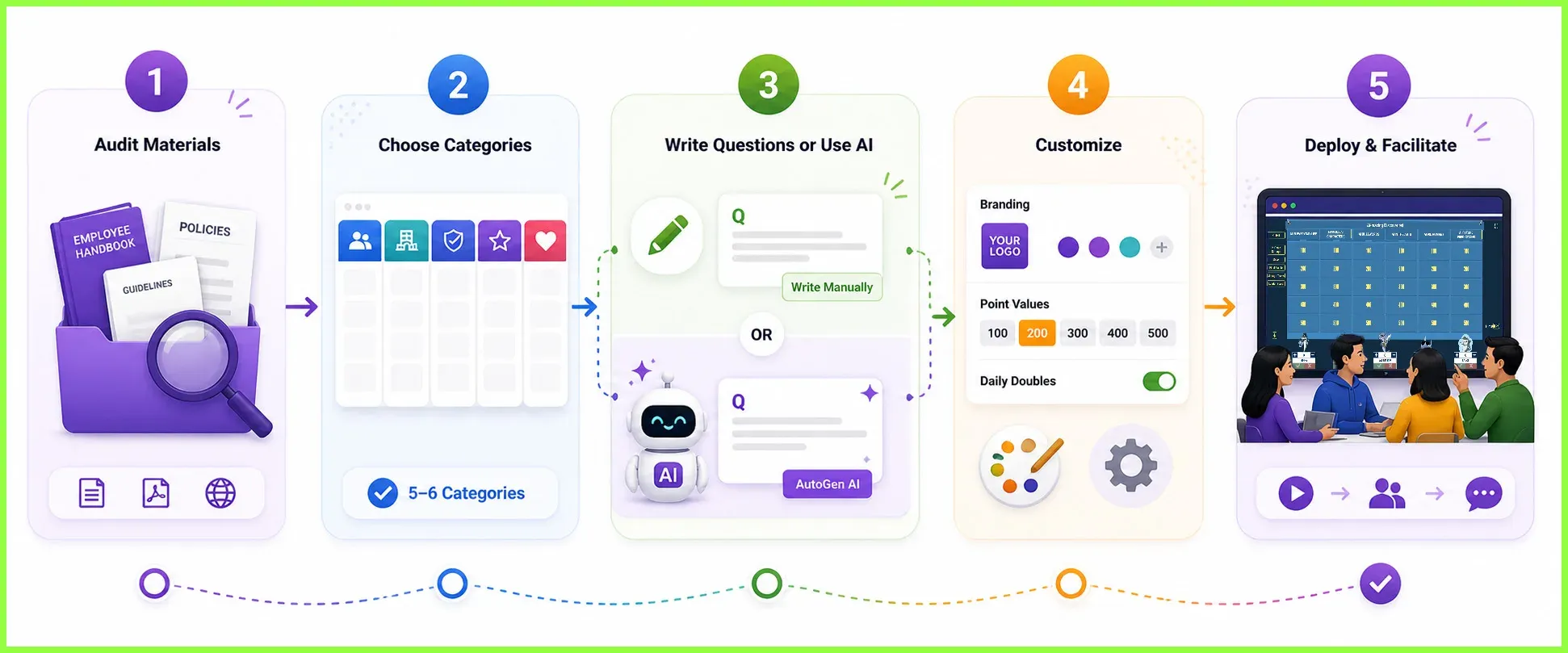
Those use cases show the potential, but creating your first game is more straightforward than you'd expect, even if you've never built one before. Here's how to turn your existing onboarding materials into a playable game.
Step 1: Audit Your Current Onboarding Materials
Gather everything you currently use: employee handbooks, presentation decks, compliance scripts, benefits guides, and culture documents. Then, identify which sections contain must-know information versus nice-to-know background. From there, focus on content that new hires actually need to apply in their first 90 days.
Step 2: Choose Your Game Categories
Once you’ve audited the materials and topics to be covered, select five to six categories that address your onboarding essentials. Some common choices for game categories include Company History, Benefits & Perks, Workplace Policies, Department Functions, and Culture & Values. Each category should contain five questions at different point values to create progression from basic recall to deeper understanding.
Step 3: Write Questions or Use AutoGen AI
After choosing your game categories and points to include in your game, it’s time to write your questions.
You have two options when using Factile. The first option is to write your questions manually, especially if you prefer more control over the tone and difficulty. It also allows you to handpick which questions you want to include and give their corresponding value.
The second route (and the faster one) is using Factile’s AutoGen AI feature. With this feature, you can upload your onboarding documents, select the topics you want covered, and let the system generate questions automatically. You'll still want to review and edit for accuracy, but the initial creation takes minutes rather than hours.
Remember to intentionally balance the difficulty of your questions. For example, you can mix straightforward recalls with scenario-based questions that require new hires to apply what they learned. This keeps engagement high across different learning speeds.
Step 4: Customize the Experience
Once your questions are written or generated, the next step is making the game feel exciting and on-brand. Start with point values that build tension. Assign lower points to foundational questions and higher points to challenging content, then strategically place Daily Doubles on questions where you want to emphasize important policies or create memorable moments.
Branding also plays a role in how professional the game feels. Upload custom team mascots or adjust board colors to match your company identity, which helps new hires see this as part of your official onboarding rather than just a fun add-on.
Step 5: Deploy and Facilitate
After customizing your game, you're ready to run it with actual participants. For live sessions, start by briefing new hires on the basic rules before jumping in. If you're using Buzzer Mode, explain how the buzzer functionality works and clarify how teams earn points and whether they can confer before answering.
The setup matters, but the real learning happens during the debrief. After revealing each answer, take 30 seconds to expand on why that information matters in their day-to-day work. This reinforcement step transforms the game from pure competition into a genuine teaching tool that helps information stick long after orientation week ends.
Gamify Your Onboarding for Better Retention
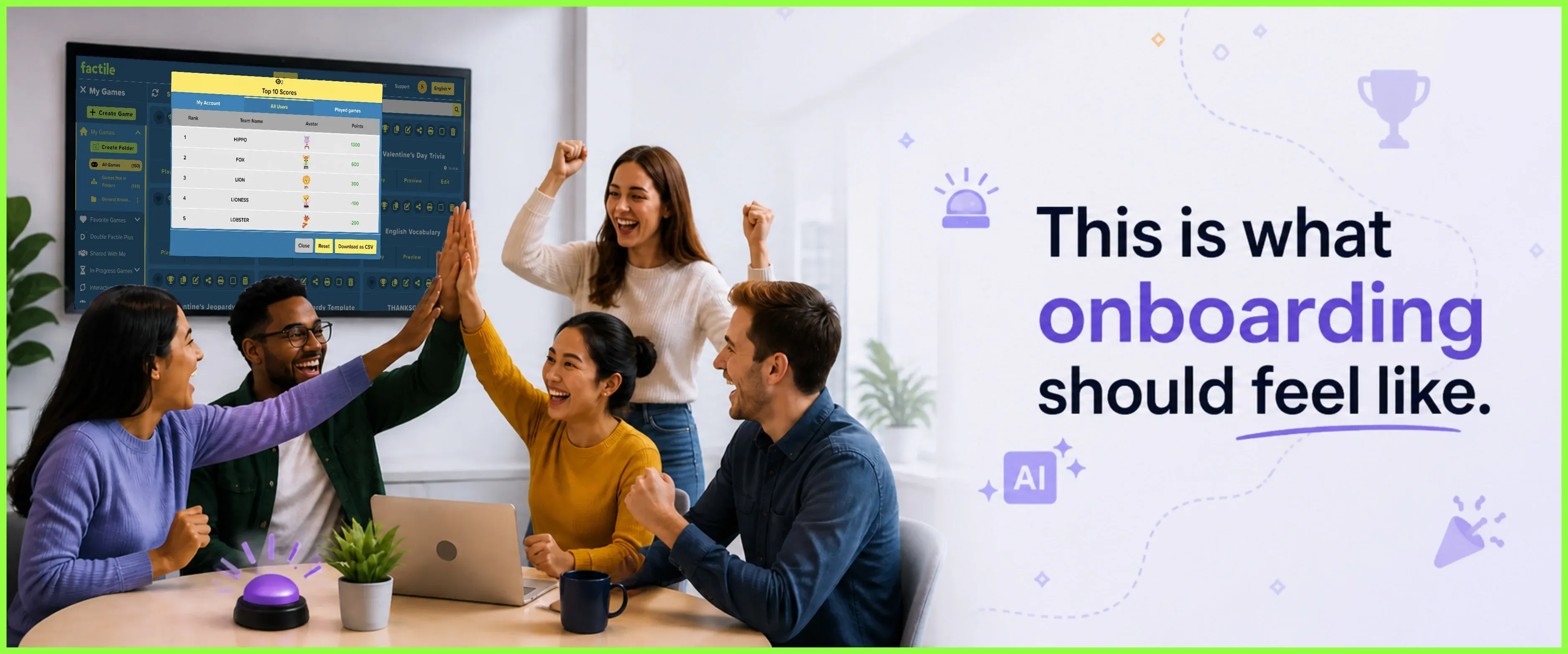
There's a better way to handle onboarding than relying solely on PDFs and compliance videos. Modern tools, such as a Jeopardy game maker, transform orientation content into competitive experiences. This way, new hires retain more information and build connections with their teams from day one.
Moving to this approach is simpler than you'd expect. With tools like AutoGen AI for question creation and Buzzer Mode for live engagement, you're not starting from scratch or spending weeks building content.
You can start with a single game for your next orientation session, test the format, and refine based on feedback. You'll quickly see which sections work best as game content and where employees need additional support.
Ready to make onboarding memorable? Try Factile's Jeopardy maker and build your first interactive onboarding game today.
Frequently Asked Questions
Q. How do I create a Jeopardy game for employee onboarding?
A. Gather your onboarding materials and organize them into five to six categories, like Company History, Benefits, and Compliance. Then create questions using AutoGen AI or manually, customize your branding and settings, and deploy the game live with Buzzer Mode or as a self-paced assignment.
Q. What is gamified onboarding?
A. Gamified onboarding is a training approach that transforms traditional orientation content into interactive game experiences. Factile's Jeopardy game maker makes this easy with AI-generated questions, virtual buzzers, and automatic scoring—so HR teams can run engaging sessions without building games from scratch.
Q. How is Factile different from PowerPoint for onboarding training?
A. Factile includes built-in virtual buzzers, AI question generation, automatic scorekeeping, and real-time leaderboards, whereas PowerPoint requires manual slide creation with no interactivity, no scoring, and no way for participants to buzz in from their devices. Factile also supports up to 100 teams and offers self-paced modes for remote employees joining asynchronously.
Q. Can I reuse the same game for multiple orientation sessions?
A. Yes. Build your game once and reuse it for every session. If content needs updating, just edit the specific questions without rebuilding the entire game. Question Banks let you organize up to 300 questions across 30 categories and pull from the same pool for different sessions.
Q. Do new hires need to download anything to play?
A. No. New hires play directly from web browsers on any device—phones, tablets, laptops, or Chromebooks—without downloads or accounts.
Q. How many people can participate in one game?
A. Up to 100 teams per game, with up to 5 players per team. Divide new hires into groups or have them play individually.
Q. Can remote employees participate?
A. Yes. Remote employees can join live Buzzer Mode sessions on Zoom, Google Meet, or Microsoft Teams, or play self-paced modes with leaderboards on their own schedule.
Q. Is the platform accessible to all employees?
A. Yes. Factile complies with WCAG 2.1 for inclusive onboarding experiences.
Q. Can I customize the game with our company branding?
A. Yes. Upload custom mascots, adjust board colors, and add your logo to match your brand identity. You can also add custom sounds and set personalized point values.
Q. What types of content can I include in questions?
Images, videos, formatted tables, and LaTeX formatting for equations. Ideal for complex benefits or safety demonstrations.