
Tips to Create Custom Jeopardy Games with a Jeopardy Maker


Custom Jeopardy Games are transforming casual games in classrooms, family gatherings, and corporate events into exciting, competitive experiences. Finding the right Jeopardy game maker takes your games from typical formats to something more interactive, and that makes all the difference.
While there are many platforms to choose from, basic ones limit you to simple text-only questions. Advanced jeopardy game makers unlock creative possibilities that dramatically boost engagement. With the right features, you can transform your Jeopardy game from something simple to a game that’s more fun.
In this article, we'll discuss five practical tips for maximizing your Jeopardy maker's potential in keeping players engaged all the way to Final Jeopardy. These tips come from years of building the platform and listening to what works best for our users.
Choose the Right Jeopardy Game Maker
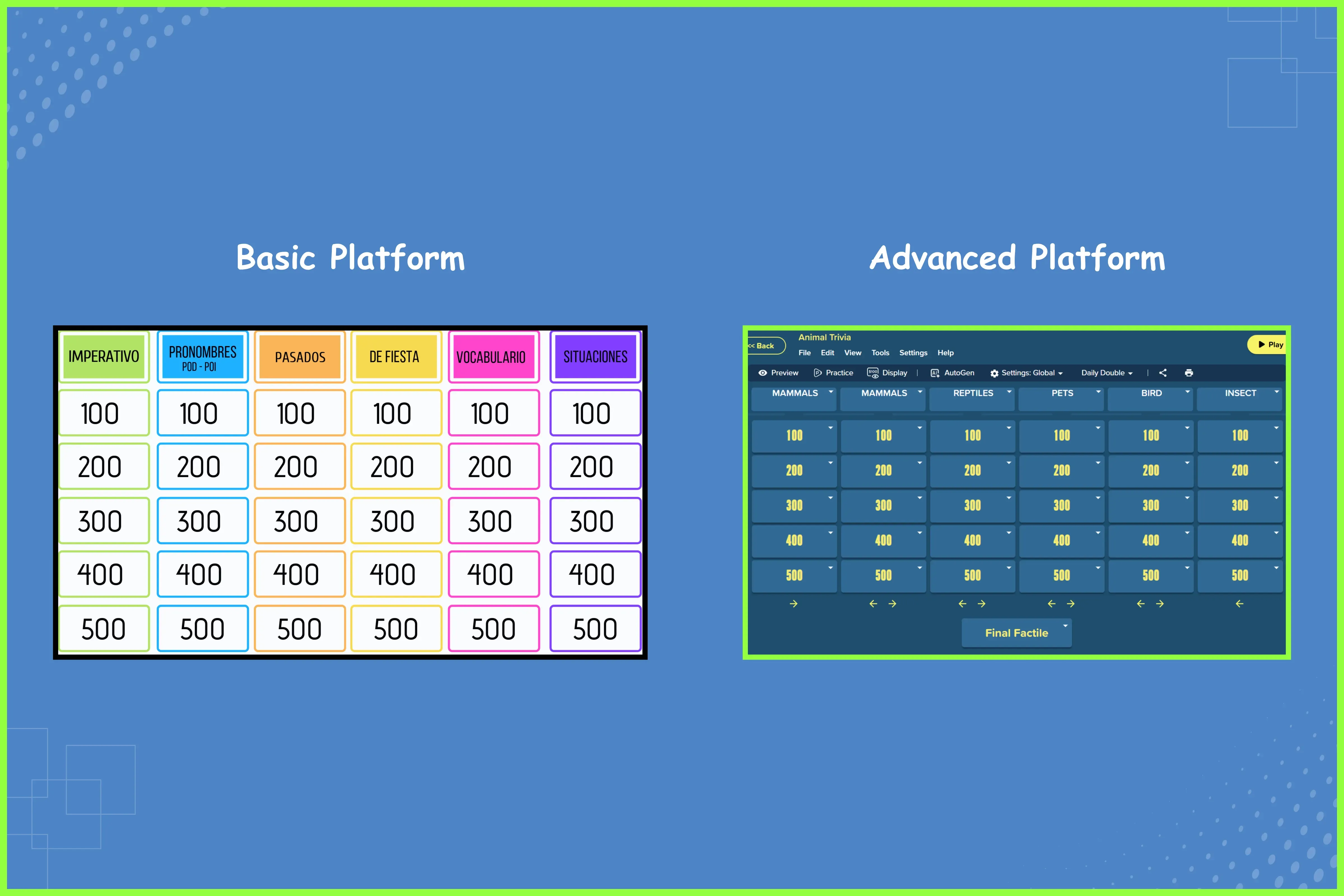
The right Jeopardy game maker lays the foundation for creating engaging, custom Jeopardy games that captivate your audience. This is why it’s important to understand which features truly matter to help you select a platform that brings your creative vision to life.
Here are some key features you would want to consider when choosing the perfect Jeopardy game maker:
- Multimedia support: Use images, videos, and audio to keep players engaged across different learning styles.
- Customization options: Change colors, add logos, pick themes, and incorporate branding to make games feel tailored to your specific audience.
- Flexible question formats: Use multiple choice for quick checks, open-ended questions for deeper thinking, and proper formatting for equations and formulas.
- Advanced editing tools: Add tables, lists, font options, and colors to create polished, professional content, with the option to import from CSV or Excel files.
- Multiple game modes: Play the same content different ways, including Jeopardy-style, Memory, and Flashcards, depending on what fits your group best.
Advanced Jeopardy makers like Factile do more than basic quiz builders. The Advanced Editor handles formatted text, tables, images, videos, LaTeX math equations, and audio elements.
Factile also offers six game modes that you can play Jeopardy games on. You've got Factile Mode (classic Jeopardy style), Choice Mode, Memory, Flashcards, Self-Paced, and Interactive Choice (individual play with leaderboards). You just create your content once and play it six different ways. Your time investment goes further, and the content stays fresh each time you use it.
All these features give you a lot to work on when it comes to making your Jeopardy games engaging and fun. Now, let’s get to the tips on how to maximize them.
Tip #1: Go Beyond Text and Add Visual Elements
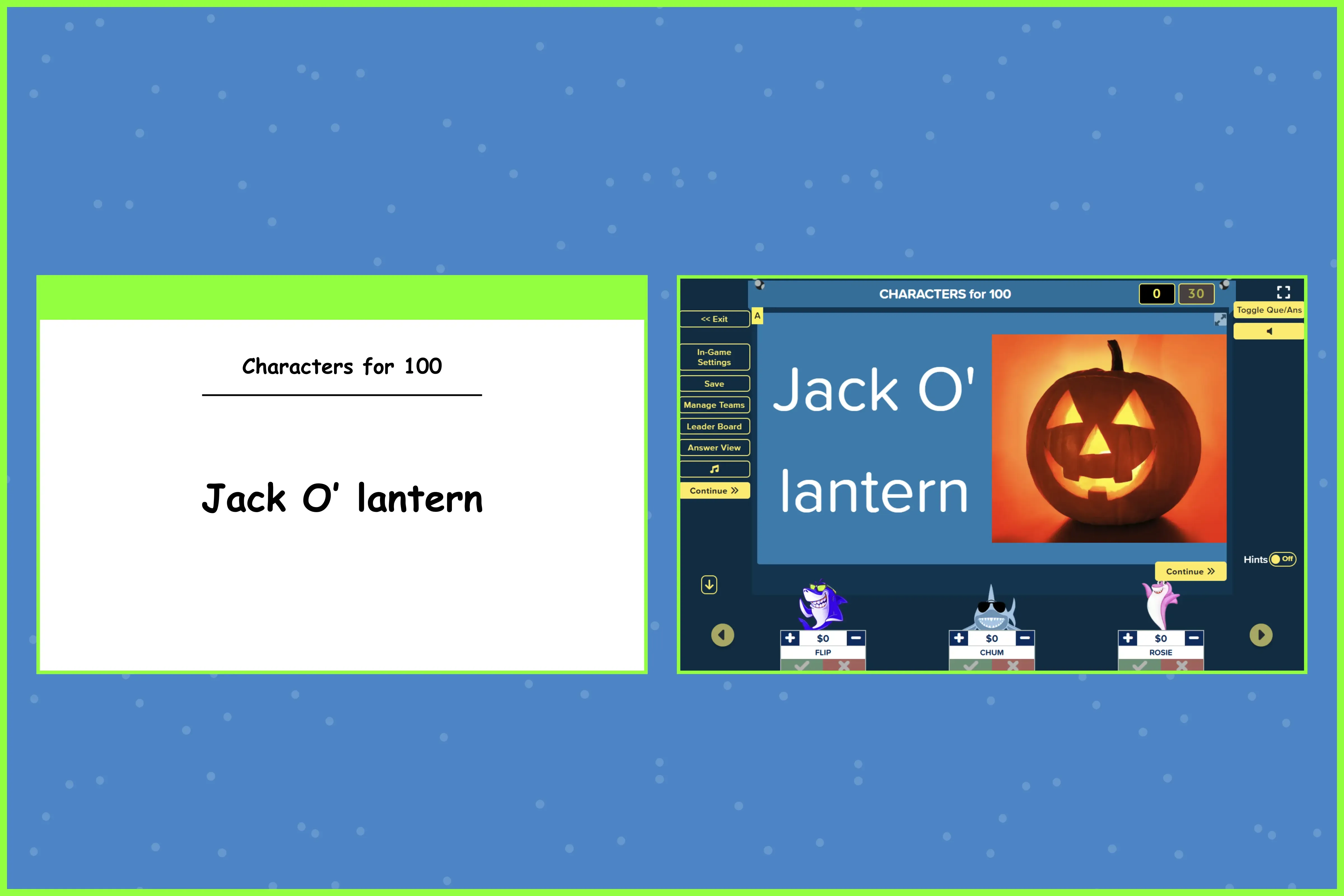
Multimedia elements make a huge difference in custom Jeopardy games. When people see and hear content rather than just read it, they remember more. Visual content helps create stronger connections in memory, making your games more effective and memorable.
Adding Images Effectively
Most advanced Jeopardy game makers let you upload images directly. Some allow you link to pictures via URL. Either way works fine. Just use high-quality photos that stay clear when projected or viewed on phones and tablets.
You can also put images in the answers. When the correct response appears with a visual, it reinforces what players just learned and helps them remember it better.
If you want to take it a step further, Factile lets you add up to 5 images per question or answer. This works well when you need multiple visuals to tell a complete story or describe a situation. Think about showing different angles of a product for corporate training, multiple photos from a family event for reunion trivia, or various images that build on each other for technical content.
Incorporating Video Content
Video clues bring energy to your games, and you can do so by embedding YouTube or Vimeo videos directly into questions. Showing a video related to the question (or answer) and seeing reactions in real time creates memorable moments that stick with players long after the game ends.
A useful tip in incorporating video content is to keep the videos short. Use one that’s about 15-30 seconds long, because longer videos slow the game's momentum. And always test playback before your session starts. Nothing's worse than clicking on a question and having the video fail to load.
Tip #2: Customize Colors and Themes for Your Audience
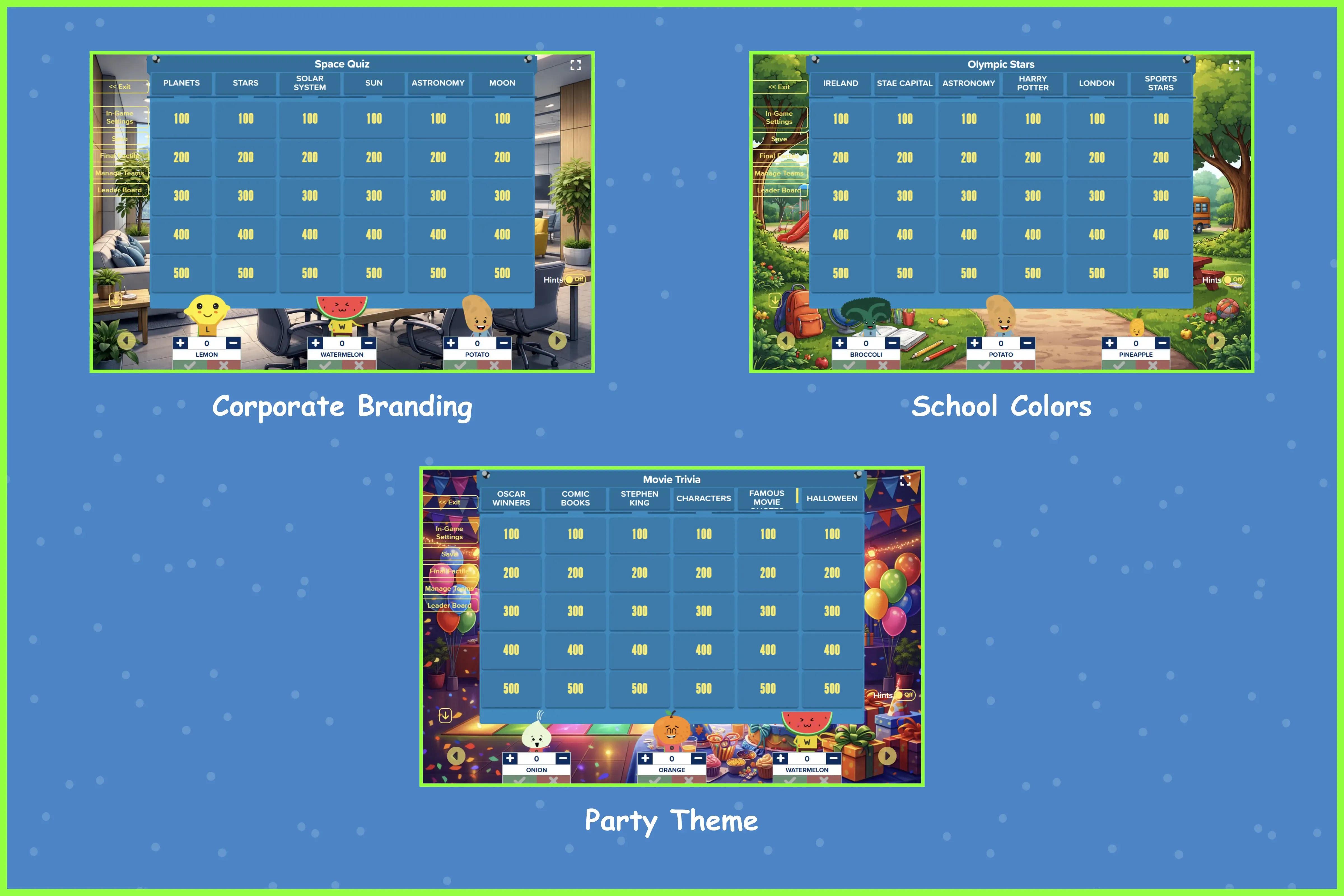
Visual customization turns generic quiz boards into something that feels made specifically for your audience. When your custom Jeopardy game uses your school colors, company branding, or event theme, it looks more professional and feels more relevant to the players.
Choosing Colors and Themes
A good jeopardy game maker lets you change board colors and backgrounds, or even add custom logos. Think about who's playing your game when you pick colors. The right color palette sets the tone and makes your game feel more relevant to your audience. Matching your game's appearance to your context increases engagement and makes the experience feel more tailored and professional.
Accessibility Matters
Pay attention to contrast and readability when you customize. Your text needs to stand out clearly against background colors. This matters especially when projecting in bright spaces. The high contrast between categories and the board background helps players quickly scan for questions they want to answer.
Look for game platforms that are compliant with WCAG 2.1/2.2, and Factile meets these standards. This matters because large US school districts are required to meet these accessibility standards as of April 24, 2026. Many organizations, government agencies, and businesses also need to follow accessibility guidelines, so choosing a compliant platform from the start saves you headaches later.
Personalization Options
Platforms like Factile let you take customization further. You can upload custom team mascots, add your school or company logo, and even customize sound effects. These might seem like small details, but they create a sense of ownership and make the game feel less generic.
Tip #3: Use Different Question Types
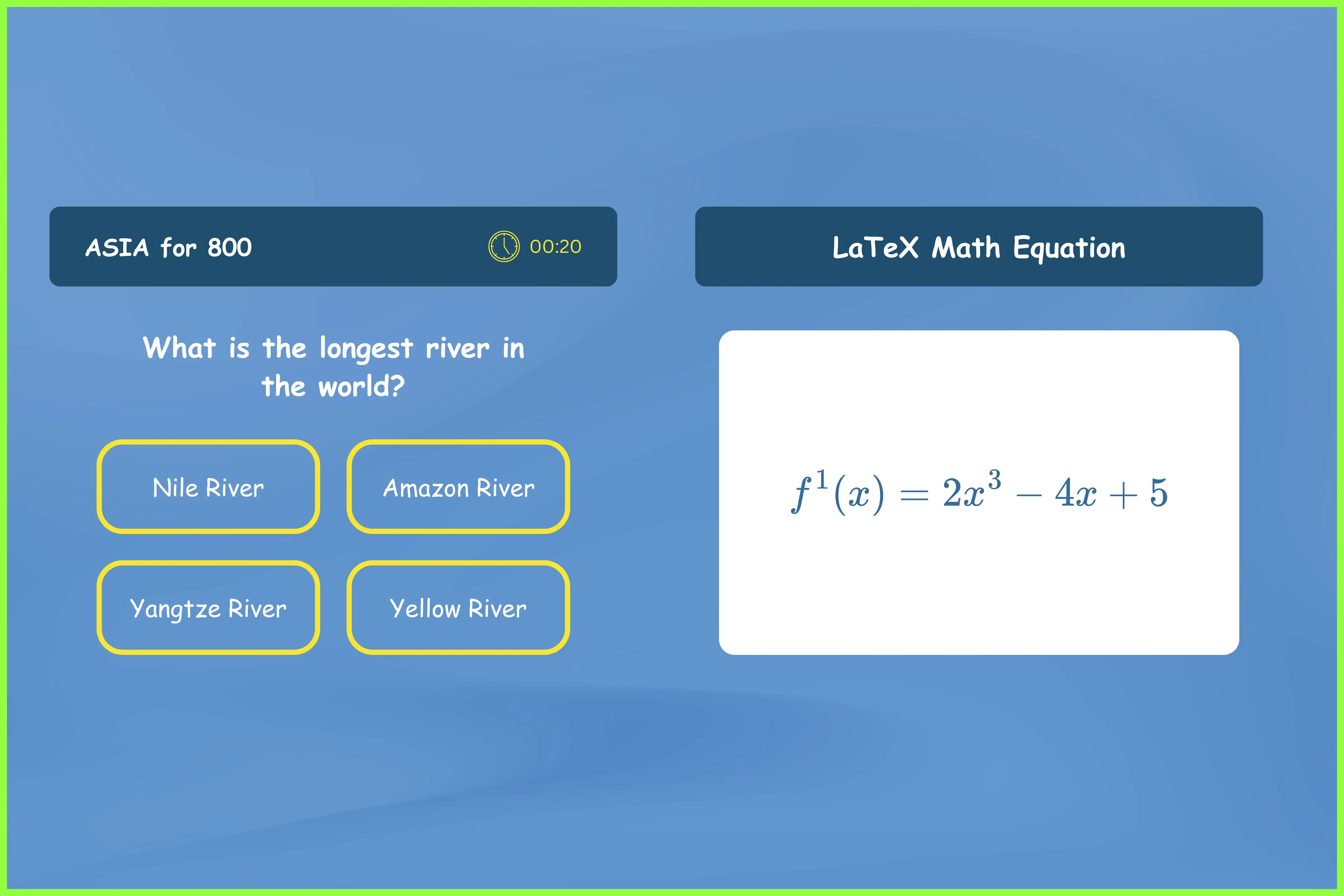
Simple question-and-answer formats get boring after a while, so using advanced question types keeps your custom Jeopardy games more challenging. They also work better for covering a range of subjects and skill levels. Plus, it keeps people engaged instead of zoning out halfway through.
Math Equations and Formulas
Formatting matters especially if you work with technical content that includes equations or formulas. Look for a jeopardy game maker that supports LaTeX for mathematical expressions. LaTeX lets you display fractions, exponents, square roots, and complex formulas the way they're supposed to look. Without it, equations become a confusing jumble of text and symbols that’s difficult to decipher.
Daily Doubles and Final Jeopardy
Daily Doubles and Final Jeopardy are two features that add real excitement and suspense to your games. They turn straightforward games into competitive moments where anything can happen. Daily Doubles let players wager points on a single question, while Final Jeopardy lets teams bet based on their confidence in a category.
Factile lets you include up to five Daily Doubles per game, placed randomly or strategically. You control when players wager, whether before or after seeing the question. This completely changes the strategy. For Final Factile, you can choose to show the category beforehand, giving players a hint to help them decide their wager. This flexibility lets you tailor the difficulty to your audience.
Balancing Question Formats
Mix multiple-choice questions with open-ended responses in your games. Use multiple-choice questions for vocabulary or fact recall, and open-ended questions when you want players to explain their reasoning or demonstrate deeper understanding. A well-designed jeopardy maker lets you put both formats on the same game board so that you can test basic recall in one category and analysis in another.
Tip #4: Structure Your Game Right
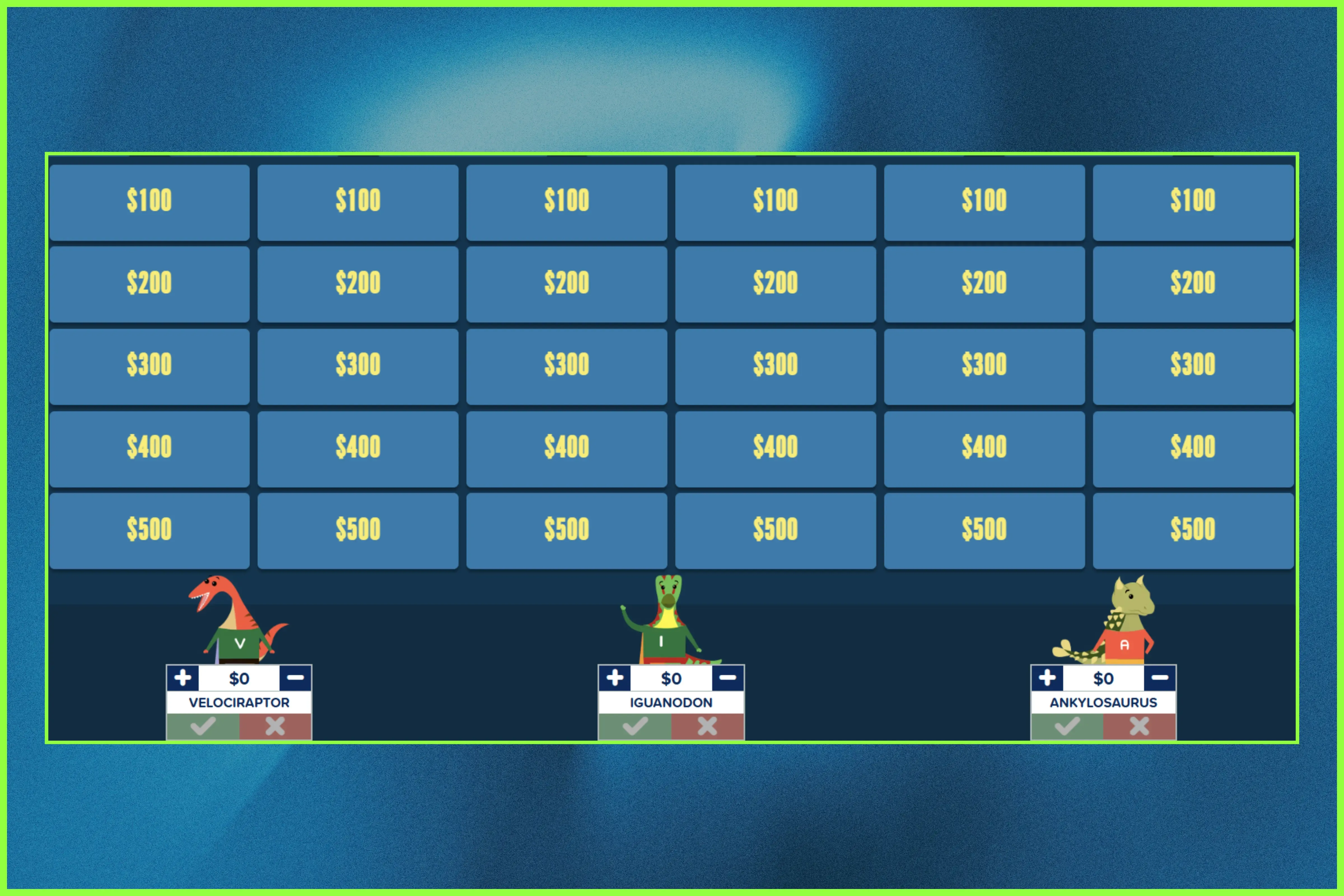
How you structure your game can affect the overall energy and mood in the room throughout the gameplay. Planning its structure, knowing how to balance the difficulty of each category and question, and considering how to pace the game are things you need to have a solid game.
One way to add more content and excitement is to use Double Factile, which works like the Double Round in the TV show. The second round doubles all the point values, raising the stakes and giving trailing teams a chance to catch up. This feature lets you include more questions in your game while building momentum toward the finale.
Planning Categories and Point Values
Pick 4 to 6 categories that cover your topic. This works best for most games because anything less feels too thin, and anything more overwhelms players. Plus, categories and point values might seem like basic parts of the game, but they give players important clues about what to expect and how to strategize.
Make your category names specific to hint at what questions they'll get. Use standard point values (100, 200, 300, 400, 500), so players immediately know the difficulty level. When players have this information upfront, they can play to their strengths and make smarter choices about which questions to tackle.
Balancing Difficulty
Spread your questions across point values strategically. Your 100-point questions should be easy enough that most people can answer them and get everyone involved early.
Save the more challenging questions for 400- and 500-point values, such as multi-step questions or those that require deeper thinking. When you balance it this way, everyone stays engaged.
Pacing Considerations
Now that you have both categories and difficulty levels in order, go over them again and consider your time frame.
If you feel you have less time, go for fewer categories and easier questions. But if you have the luxury of time, go for 5-6 categories and strategize how difficult the questions should be, or whether to reserve them for Daily Doubles or Final Jeopardy. Good platforms let you save games partway through. And if you run out of time, make sure you can save it and pick it up tomorrow. That way, nobody loses their place.
Tip #5: Test Everything Before Game Day
Always test your custom Jeopardy game before using it. A test run or two helps you catch problems before everyone else sees them. Preview the game's flow to ensure everything meets your expectations. Testing ahead of time gives you the chance to make edits and refine the game.
Essential Preview Steps
Use your Jeopardy game maker's preview mode and try to play through the whole game.
Check that your multimedia elements actually load. That means all photos are high resolution and clear enough to see, and all videos play without buffering. Also, make sure that audio files play when you click on them.
As for custom Math equations, check whether they all display correctly and are understandable at a glance. Lastly, read each question carefully for awkward phrasing and typos.
Technical Checklist
Now that you've checked everything in your game, it's time to address the external factors. Things like internet connection, the device you're using, display/projection, and audio are key to a holistic Jeopardy game experience.
Test your internet if you're using embedded videos or online content. Also, project the game onto your screen or a projector to see how it looks. What looks fine on your laptop might look different when projected.
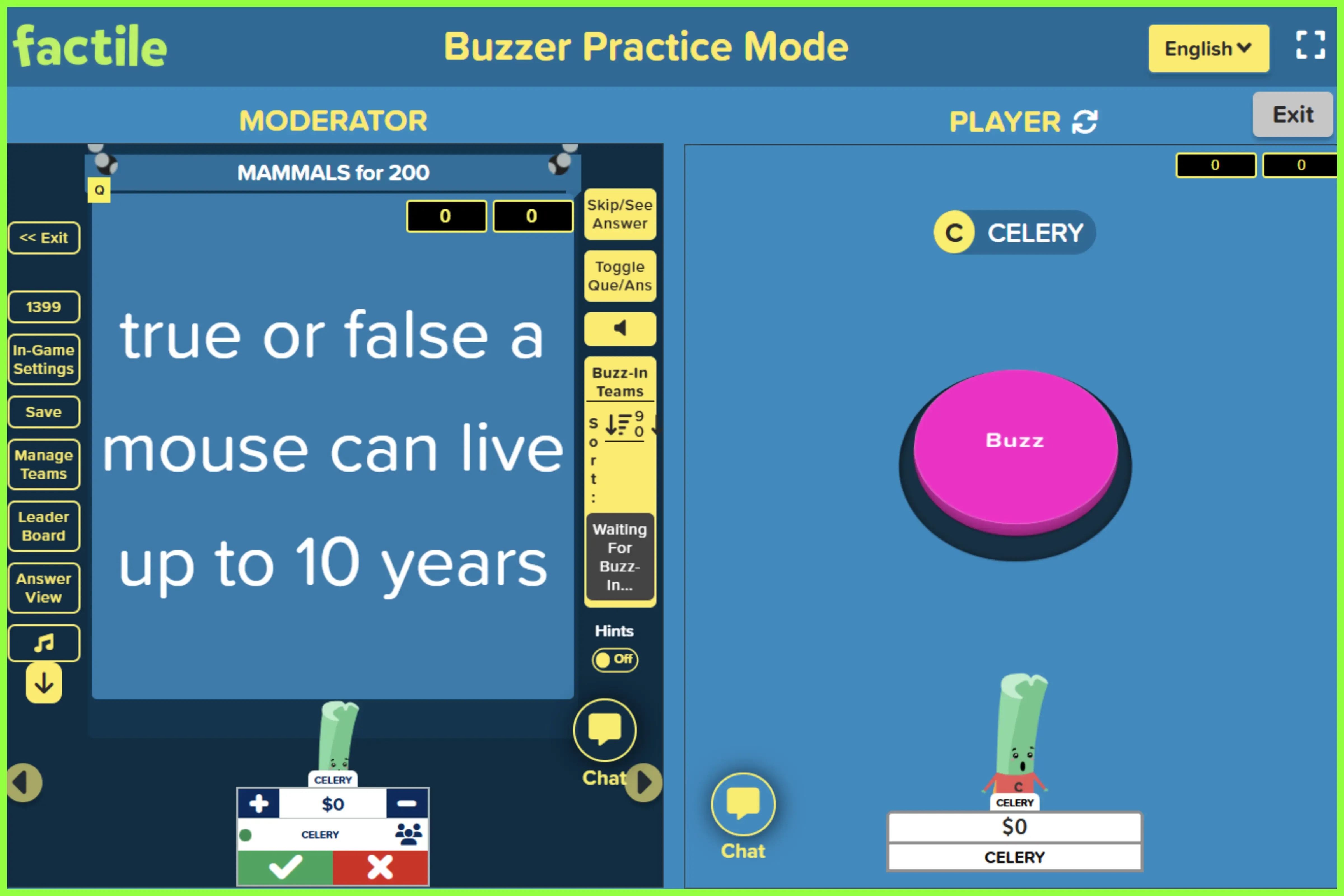
Planning to use Buzzer Mode? Factile has a Practice Mode that lets you test the buzzer game on your own before the actual session. This is useful for getting familiar with the flow and timing. You can also have someone join a practice session to make sure the connection works smoothly for multiple players. Go over every special feature you added in your game and see that things go smoothly.
Try to spend 10-15 minutes on this preview. It saves you from scrambling to fix things when everyone's watching and waiting.
Bonus Tips for Specific Situations
People use Jeopardy games for various purposes, including education, workplace training, family events, and more. Since different situations call for different approaches, here are some additional tips on how to adjust your strategy based on where and how you're using them.
For Educators
Line up your game categories with your curriculum standards or learning objectives. This makes the game an actual teaching tool, not just a fun activity.
Try having students help create the game as part of the review process. They can research the topics or take a poll to identify which parts of the lesson they want to know more about or need clarified. You can frame this as a fun activity without revealing that it will become a classroom Jeopardy game. When you surprise them with it later, they'll be excited to recognize the topics they helped shape.
That way, you can tailor your entire board to benefit everyone’s learning.
For Corporate Trainers
Use your Jeopardy game maker's customization features. Add your company logos. Use your brand colors. This makes the game look professional and official.
You can turn compliance training into a game. Make mandatory content less painful. Or design onboarding games that teach new employees about company culture and policies in a way that's actually interactive.
For Events and Team Building
Design icebreakers using fun facts about attendees. Include trivia about your organization's history, as well as office policies that not everyone may be aware of. Custom jeopardy games work well for family reunions, too. Add old family photos or include questions about family history. These games get different generations talking to each other.
Remote vs. In-Person
For remote play, platforms like Factile have Buzzer Mode. Participants join from their devices wherever they are. In-person sessions use a single projected screen, and teams gather around tables. You can also use hybrid formats in which some players are remote, and others are in the room competing simultaneously.
Frequently Asked Questions About Creating Custom Jeopardy Games
Q. Can I save and edit my jeopardy game after creating it?
Yes, games save automatically and allow unlimited editing. You can also duplicate games to create variations for different sessions.
Q. Does my custom jeopardy game work on mobile devices and tablets?
Quality jeopardy makers are fully responsive and work seamlessly across computers, tablets, and smartphones.
Q. Do I need to download software to make a jeopardy game?
No, modern platforms are web-based and require no downloads. Simply create an account and build games in your browser.
Q. Can multiple players join my custom jeopardy game online simultaneously?
Yes, platforms like Factile support up to 100 teams to play the jeopardy game online simultaneously.
Conclusion
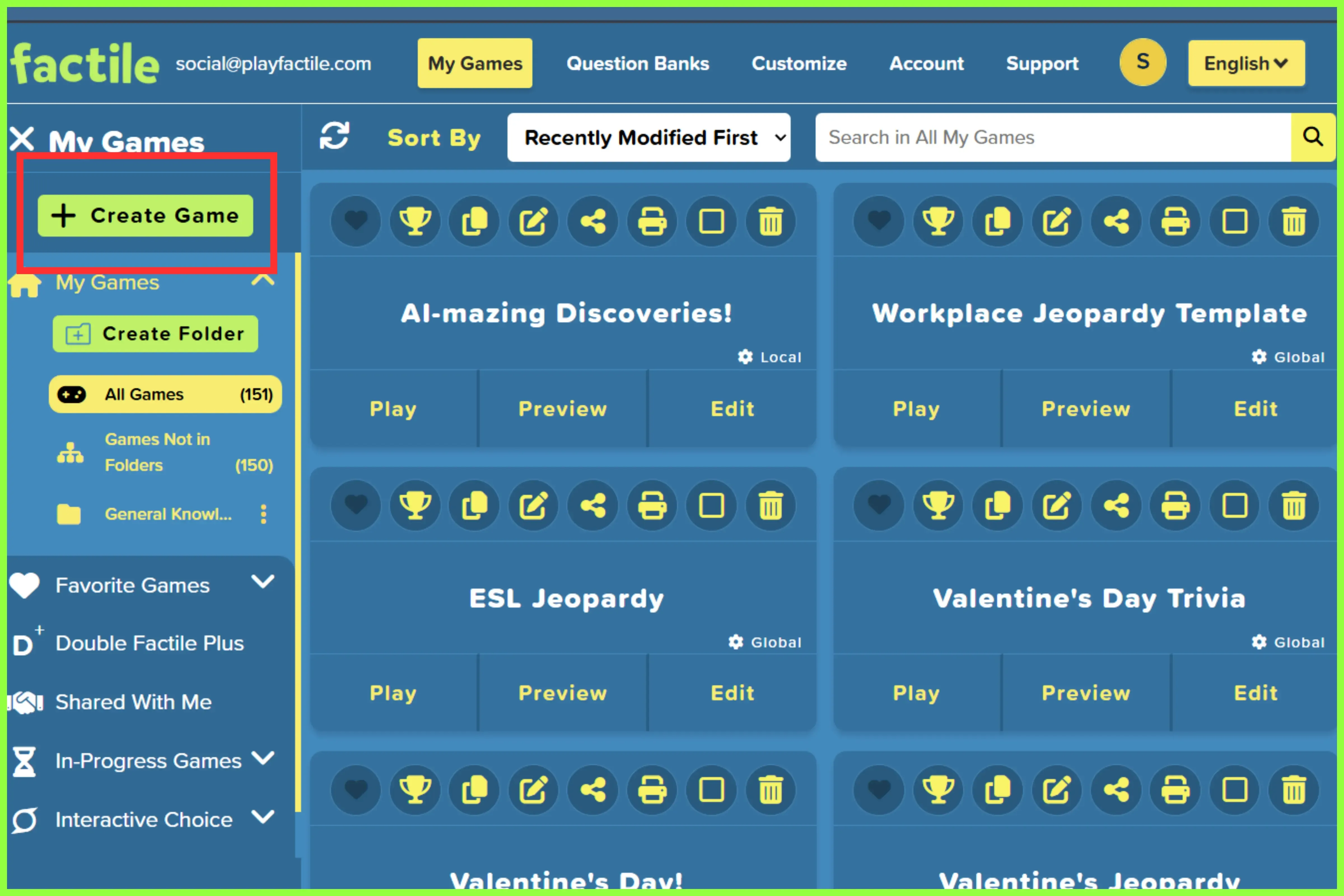
Creating an engaging custom jeopardy game doesn't have to be complicated. You need the right jeopardy game maker, and you need to know how to use its features well.
Incorporate multimedia elements. Customize your themes. Use different question types. Structure your games strategically. Test before you play. All these can make the entire experience - both hosting and playing - fun and memorable.
The difference between a basic quiz game and something that’s more memorable all boils down to the tools you use. Platforms like Factile offer the features you need: video embedding, LaTeX equations, Buzzer Mode, and multiple game formats.
Ready to try it? Explore Factile's features and start creating your custom jeopardy game. Whether you're teaching students, training employees, or hosting an event, the right game maker helps you create something that actually works.