
Why Play Classroom Jeopardy Games: Online Version


You’ve heard of Jeopardy as a teaching tool. But you may wonder, “Why is this game show that has been around since the 1960s so popular in today’s classrooms?” If this question resonates with you, you’ve come to the right place. Throughout this blog post, we’ll share where the game of Jeopardy came from and why it’s still a household name today. We’ll cover the reasons behind its widespread classroom use — and hear directly from teachers, students, and researchers on why it seems to work so well. We’ll also look into the best ways to bring Jeopardy into your classroom, including a review of the most effective Jeopardy games online.
So sit back, relax, and join us for the ride. We’re hoping you’ll leave this article with a deeper understanding of Jeopardy games in the classroom, as well as the motivation and tools necessary to put this effective learning method to use yourself.
The History Behind the Game of Jeopardy
Jeopardy started as a game show in 1964. This was only a few years after the Quiz Show Scandals of the 1950s, where quiz shows were allegedly rigged, leading to lost trust among viewers and even new nationwide laws about television game shows. Due to this timing, it’s a shock that the country tuned into Jeopardy at all.
Founder and first host, Merv Griffin, brought the show to life after having a conversation with his wife. Julann Griffin asked, “Why not give the contestants the answers, and have them come up with the questions?”
While he was pitching the idea to NBC, he received feedback that “the game needed more jeopardies.” This idea led to points being deducted for wrong answers, but that’s not all. The word “jeopardy” stuck in Griffin’s mind long enough for it to later become the name of the show.
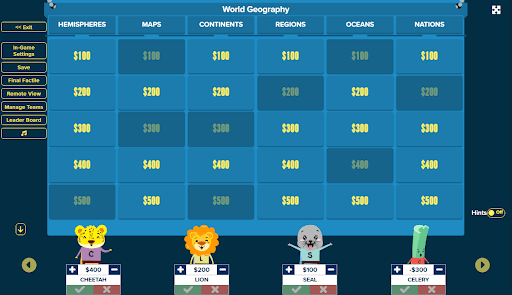
Executive Bob Aaron came up with the chart format we all know today, including the rows with increasing monetary amounts (and question difficulty). He added Double Jeopardy and Final Jeopardy, while Griffin added the Daily Double to reflect his love for gambling on horse races.
Soon after these changes were made, executives were ready to bring Jeopardy to life. The first episode aired with Art Flemming as host on March 30th, 1964.
Since that first show, Jeopardy has grown to become a household name. The show has won 44 Emmy awards, which is more than any other game show in US history. It’s known for the incredibly smart contestants that it attracts.
Because of its focus on contestant knowledge, Jeopardy has turned into a classroom tool. Read on to discover why Jeopardy is seen as an incredible learning tool, as well as how you can bring the game into your school today.
Why Jeopardy is Great For the Classroom
Jeopardy is used in classrooms across the globe, in all subject areas, and with students of all ages. Even the game show itself recognizes Classroom Jeopardy as a fun and effective teaching tool.
Some of the main reasons why Jeopardy works in the classroom include:
- The game show is a household name.
- The competitive factor brings fun into the classroom.
- The quiz format encourages topic review.
- Playing in teams allows for peer collaboration.
- It’s easy for teachers to set up and play.
What does the research say?
As Jeopardy has been used in learning environments for many years, several studies have been performed on its effectiveness.
Perhaps one of the most impressive studies on Jeopardy in the classroom looked into using the game to teach vocabulary. The study found that:
- 82% of students showed vocabulary growth.
- 73% of students found learning interesting with the help of the game.
Another study showed a significant improvement when the game was used to teach basic writing skills to seventh-grade students.
And a last study looked into using Jeopardy as a team-based classroom exam. The test group played Jeopardy with close teacher observation as an exam, while the control group took their test individually and on paper. Both groups followed up with a traditional exam to show differences in learning.
The study showed that in the Jeopardy test group,
- Students were provided with immediate, focused feedback.
- Opportunities for peer support were provided.
- The setting encouraged teamwork and created an action-based knowledge environment.
- Students experienced a positive exam experience and overall learning experience.
- Students felt they learned more than they would have from a typical exam.
- Students had improved exam scores between tests compared to the control group.
As you can see, the overall research portrays Jeopardy as a fun teaching tool that produces results. We’d love to see more research on the subject as classroom Jeopardy games online continue to gain popularity.
What do teachers and students say?
Reviews from teachers and students who have played Jeopardy in the classroom are equally important to consider.
A teacher from Fordham Graduate School of Education shared:
“The popular quiz show, Jeopardy, is also a much-beloved way to review material in the classroom. It’s a game, so it’s fun, and it’s a fantastic way to include the whole class in a review.”
A Postsecondary student from Georgetown shared:
“The interactive nature of the game format helped me to retain knowledge and reinforce class learning… It is very helpful to visualize how topics fit into a bigger category.”
Need more reviews to get on board? Try asking your students what they think about classroom Jeopardy. There’s a good chance they’ve played the game in school before and will have positive opinions to share.
Getting Started with Jeopardy in the Classroom
Once you’ve decided to give this teaching method a try, it’s time to choose which type of Jeopardy game maker you’ll use. The two most common options are:
- Creating your own game in PowerPoint or Google Slides.
- Using a site that is designed for making Jeopardy games online.
Creating Your Own Classroom Jeopardy Game
You can create your own classroom jeopardy games online with the help of Powerpoint or Google Slides. You will need to make:
- A table that lists your topics
- A slide for each question
- Hyperlinks that allow you to click on a table square and redirect to the corresponding question slide
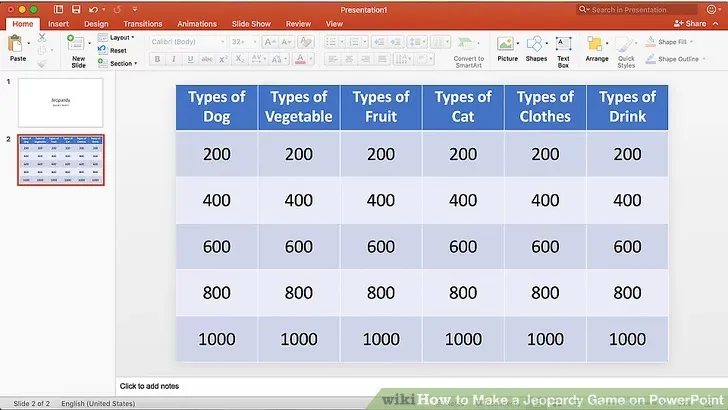
For extra guidance, follow these steps:
Step 1: Make a list of questions and corresponding answers (be sure to choose whether you will display the questions for students to read on your chart, or display the answers first like the game show does).
Step 2: Create a table slide that has enough squares for each of your questions (you can make this as small as 3x3 squares, or as large as 5x6 squares).
Step 3: Give each of your rows a point value (choose between a number of points or a dollar amount like the game show)
Step 4: Assign your questions to specific point ranges based on difficulty (easier questions should be worth fewer points than more challenging questions)
Step 5: Create the slides for your questions and answers and link them to your main Jeopardy table (link the question slides to the point value in your chart, and link the answers to the word “Answer” at the bottom of your question slide, so you can click on it as soon as students share their attempts).
This site contains detailed instructions on how to create the necessary hyperlinks.
Step 6: Decide whether you’d like extra features (options include images, sound effects, timers, buzzers, daily double squares, double jeopardy, and final jeopardy).
Step 7: Make a plan for point tracking (you may want to use your classroom whiteboard, another window on your computer/projector, or hang a sheet of paper on the wall to track points. You could also assign one student to be the “point keeper,” having them track correct answers and their values for each team in a notebook).
It’s important to take each of these steps in advance, so you can focus on playing the game during class time.
Using an Online Jeopardy Game Maker
Online Jeopardy Game makers are quicker and easier than the above method, so they are often preferred by teachers. Some common reasons why teachers choose online game makers include:
- Not having the time, skills, and/or resources to create slideshow Jeopardy games.
- Preferring a more polished feel.
- Seeking out a game with more add-ons, like point trackers, buzzers, countdown timers, etc.
- Needing to share the game with online learners.
When you choose an online Jeopardy game maker, you will likely only need to choose your format and input your question and answer sets.
Some sites, such as Factile, allow you to save questions and answers in an online bank, allowing you to return to them in future games. This can be helpful not only for final exams but for future years of student learning. Imagine only needing to create Jeopardy games during your first year playing, and afterward, simply adding new questions as needed!
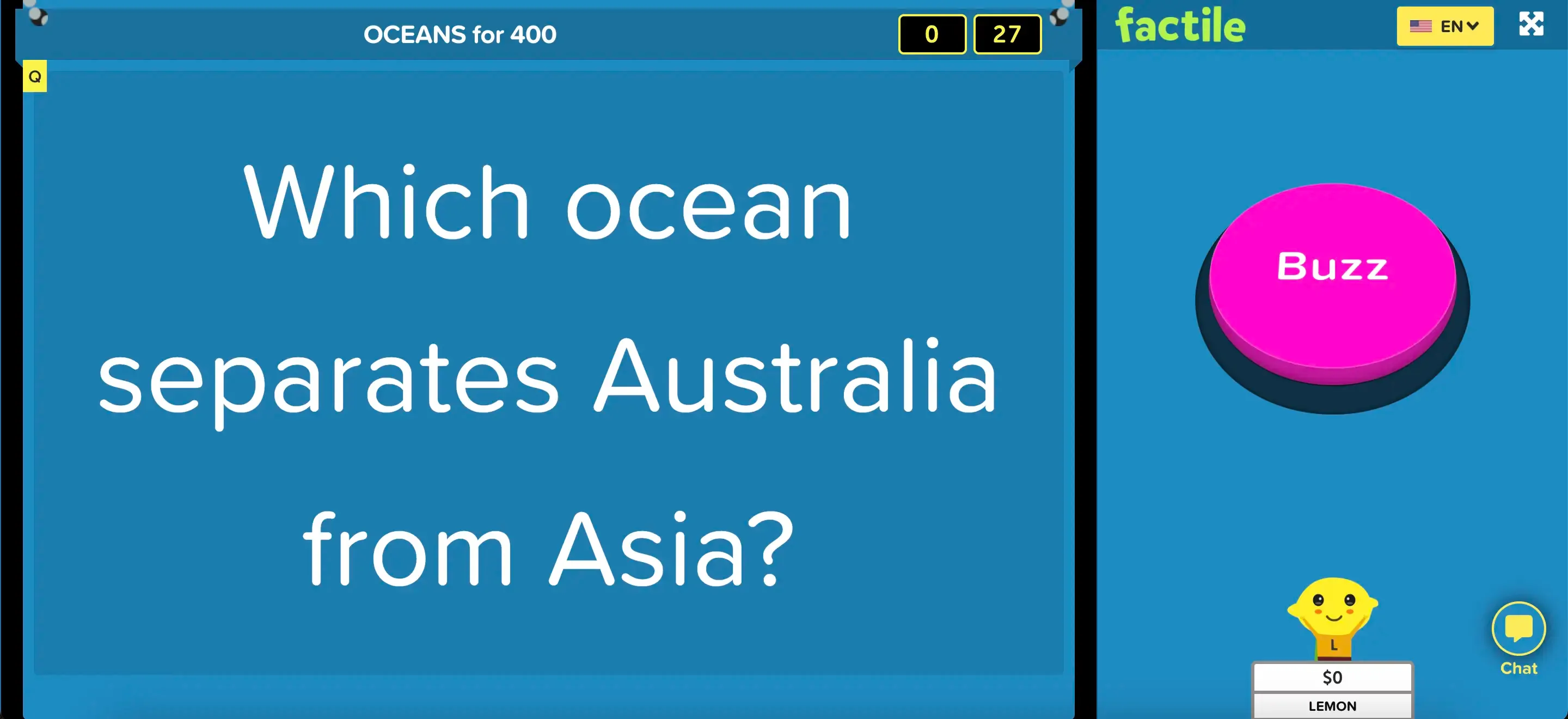
Other features that make Factile stand out as an online Jeopardy game maker include:
- Create your own Jeopardy-style game in minutes.
- Play Jeopardy-style, Multiple Choice, or as Classic Memory games.
- Search from 2 million premade Jeopardy game templates.
- Use and share online flashcards.
- Play from your computer, tablet, or phone.
- Unique Buzzer Mode turns phones, tablets, and computers into a Jeopardy game buzzer.
- New – Question Bank. Create a bank of questions and create multiple games.
- New – AutoGen. Use Generative AI to assist in game creation.
What Teachers Have to Say About Factile
A quick review from a real-life teacher, telling us how they use Factile in the classroom:
“Factile is a wonderful teaching tool. I use it to reinforce topics during my lessons and get the students engaged. I recommend teachers and educators to use Factile to enhance their class participation.”
T Khan Teacher
From a teacher who has always loved Jeopardy in the classroom, but needed a simpler way to sustain the game:
“I’ve tried to present Jeopardy review games in my classroom in several ways, from physical index cards posted on a whiteboard (value on one side and question on the other) to using PowerPoint and SMART Presentations. Yet, each of these online tools felt like I was reinventing the wheel. No templates were easy to use and it was hard to keep points for student teams. Then, I stumbled upon an intuitive way to create and play Jeopardy in the classroom, making it my favorite Jeopardy tech tool to use in the classroom whenever we review.
Using Factile in the classroom helps students be Connected Learners because it allows them to use this resource as a study tool outside the classroom. The URL created for a game can be shared with students, allowing them to study the material at home/ replay the game alone or with a study group. Factile is also easy enough for students to create their own game of Jeopardy in any subject they so choose!”
Teachers Exploring Technology Fordham Graduate School of Education
How You Can Get Started With Factile Today
Are you ready to give Factile a try? Here are a few first steps to help you get the most from our platform:
Step 1: Create a free account. You can familiarize yourself with the site, create up to 3 games, and play with up to five teams at a time with our free account.
Step 2: Check out our features. Learn how to make your first game, add photos, videos, and/or sound effects, save to question banks, etc.
Step 3: Decide if you like our free account, or if you will need more resources to play in your classroom. The Home/School Pro and Business Pro versions offer:
- Extra game modes, such as flashcards and memory match.
- AutoGen’s AI question-and-answer formulator.
- Advanced formatting options for questions and answers.
- Comprehensive score management tools.
- Custom mascots.
And more.
Some of the most common reasons why teachers upgrade accounts include:
- The ability to play with more than 5 teams
- Buzzer Mode, which enables players to each use a mobile device or computer as a buzzer
- Advanced formatting options for questions and answers
- The ability to include images, videos, and sounds in questions and answers
- Extra game modes, such as flashcards and multiple-choice
Step 4: Create your first game. Add the question and answer sets to a game board with your preferred features.
Step 5: Get ready to play! Take a test run by clicking through the game, project the game board in your classroom, and share the rules and expectations with your students before starting.
Step 6: Return often to review our resources and extra game features. After you’ve played your first game or two, additional features may pop out to you as fun or beneficial to use!
If you’re looking for more help getting started with Factile, follow this tutorial. We’ve built an extensive library of resources to ensure every user can get the most out of our site.
And if you’re ready to give Factile a try, sign up for a free account today. We’d be thrilled to help you bring fun lessons to your students through simple, customizable Jeopardy games online.